Switching editors

A CapCut alternative that runs in your browser

FrameCompose is a short-form video editor with nothing to install: a real timeline, word-by-word captions, 100+ free effects, and free AI voiceover, plus AI generation when you want to start from a prompt instead of footage. Projects stay local-first on your device.

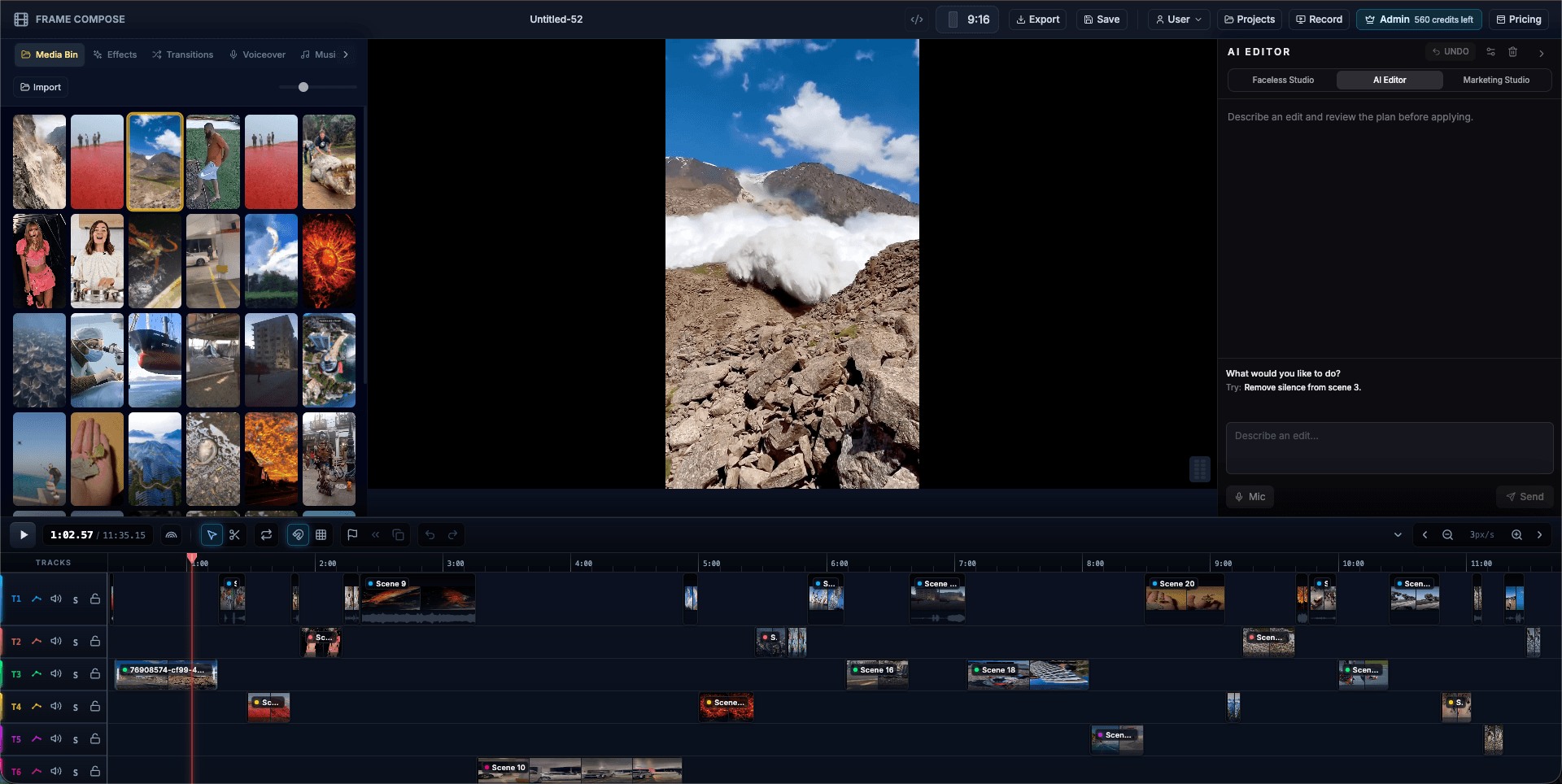
FrameCompose browser video editor with a media bin, portrait preview, edit panel, and multi-track timeline
The full editor in a browser tab: timeline, captions, effects, and export.

No install, no updater: the editor is a URL.

Word-by-word captions, 100+ effects, and AI voiceover included free.

Local-first projects; your files stay on your device.

AI generation built in for starting videos from a text idea.

Why people look for a CapCut alternative

The common reasons are practical: not wanting another desktop or mobile app to install and update, wanting to edit on a work or shared machine where installs are blocked, wanting predictable free features, or wanting more control over where project files live.

A browser-based editor sidesteps all of those at once. FrameCompose runs where a browser runs, and because projects are local-first, your footage does not have to leave your device to be edited.

The short-form toolkit is all here

The parts of an editor that short-form actually uses: a multi-track timeline, word-by-word captions synced to audio, 100+ transitions and effects with GPU-accelerated previews, free AI voiceover and transcription, and 9:16, 1:1, and 16:9 exports.

Rendering happens in the browser with WebGPU and WebCodecs at native speed, so exporting a Short does not mean waiting in a cloud queue.

One thing CapCut does not do

FrameCompose is also a generator. Type an idea and Faceless Studio produces a draft video: scenes, voiceover, and captions, on the same editable timeline. Record your screen and Marketing Studio drafts a captioned promo with auto zooms.

Generation is the starting point rather than the product. Everything generated stays editable, so you polish instead of regenerating.

Try it in one click

There is nothing to download, so evaluating FrameCompose costs one click and zero disk space. Open the editor, drop in a clip or type an idea, and see if the workflow fits.

Frequently asked questions

A few quick answers before you jump in.

Is FrameCompose a good CapCut alternative?

If you want short-form editing without installing an app, yes. FrameCompose runs entirely in your browser with a real timeline, word-by-word captions, 100+ free transitions and effects, free AI voiceover, and GPU-accelerated export. It also adds AI generation, so you can start a video from a text prompt instead of an empty timeline.

Do I need to install anything?

No. FrameCompose uses WebGPU and WebCodecs to edit and render hardware-accelerated video directly in the browser. Open the editor and start cutting; there is no download, no updater, and nothing to keep patched.

Are exports watermarked?

No. Exports are not watermarked on the free plan, and the free plan includes local projects, transcription, captions, voiceover generation, and the full effects library.

Where do my project files live?

Projects are local-first: your work stays on your device until you choose otherwise. You can edit without creating an account, which also makes FrameCompose practical on locked-down or shared machines.

Can it do more than edit?

Yes. Beyond the editor, Faceless Studio generates complete short-form videos from a text idea, and Marketing Studio turns screen recordings into captioned promos with auto zooms. Everything lands on the same editable timeline.

Related pages

Explore the rest of the workflow, from first idea to final export.