Product demos

Turn a screen recording into a product demo video

Walk through your product once with the FrameCompose screen recorder. Marketing Studio turns that raw capture into a demo video with auto zooms, captions, voiceover, and music, ready for your website, a sales email, or social.

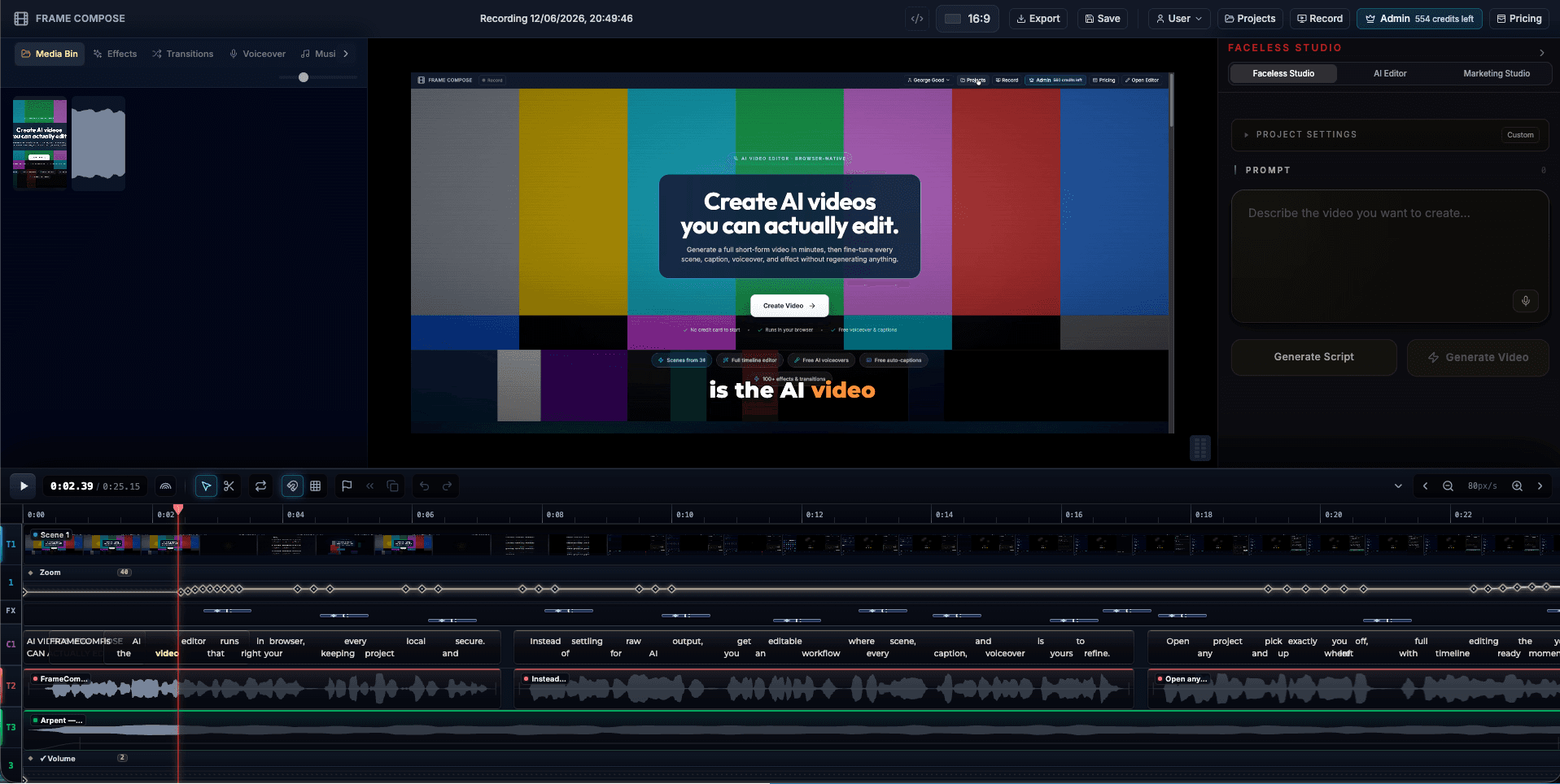
FrameCompose editing a product screen recording into a demo video with captions and zoom keyframes on the timeline
A raw product recording becoming a captioned demo with auto zooms.

Record your product directly in the browser, no capture software to install.

Auto zooms focus the viewer on the exact UI you are demonstrating.

Captions keep the demo watchable with the sound off, where most viewers are.

Export wide for your website or vertical for TikTok, Reels, and Shorts.

Why demo videos beat feature lists

Visitors rarely read a feature grid, but they will watch twenty seconds of your product actually doing the thing. A short demo video answers the only question that matters: what does this look like when I use it?

The problem has always been production time. Recording is easy; editing the recording into something watchable is the part that eats an afternoon. That is the part FrameCompose automates.

From raw capture to finished demo

Hit record, walk through your product, and stop. Marketing Studio drafts the edit: it adds zooms on the areas you interacted with, generates captions, and lays everything on a timeline.

Then you shape it. Trim the dead air, reword a caption, move a zoom, drop in music or an AI voiceover. Nothing is locked, and no step requires editing experience.

Made for the places demos live

Landing pages want a wide, quiet, captioned loop. Sales emails want a short focused clip. Social wants vertical with a hook in the first two seconds. One recording can become all three, because the project stays editable and exports in any aspect ratio.

Rendering runs in your browser at native speed, so iterating on a demo does not mean waiting in an upload queue.

Who uses it

Founders making their first launch video. Product marketers who need a demo per feature release. Sales teams that want a fresh clip per campaign without waiting on a video team. Agencies producing demo videos for client products at scale.

Frequently asked questions

A few quick answers before you jump in.

How do I make a product demo video without an editor?

Record your product with the FrameCompose screen recorder, and Marketing Studio drafts the demo for you: captions, auto zooms on the moments that matter, music, and optional AI voiceover. You then adjust anything on a real timeline instead of building the edit from scratch.

Can I highlight specific features in the demo?

Yes. Auto zooms pull the viewer into the part of the screen you are demonstrating, and you can add, move, or remove zooms manually. Captions and narration let you explain each feature as it appears.

What formats can I export a demo video in?

Wide formats for websites, landing pages, and YouTube, or vertical for TikTok, Instagram Reels, and YouTube Shorts. Rendering happens in your browser, so there is no upload queue.

Is the demo video editable after AI drafts it?

Fully. Every caption, zoom, cut, and audio track stays editable. If the pacing is off or a caption is wrong, you fix that one thing without regenerating the video.

Do I need to install anything?

No. Recording, editing, and exporting all run in your browser using WebGPU and WebCodecs. Open the recorder and start capturing.

Related pages

Explore the rest of the workflow, from first idea to final export.