FrameCompose

AI video editor in your browser

Start with a prompt, remove silence, shape the cut on a timeline, edit captions and voiceover, and export without leaving your browser. FrameCompose keeps AI generation and real editing in the same workflow.

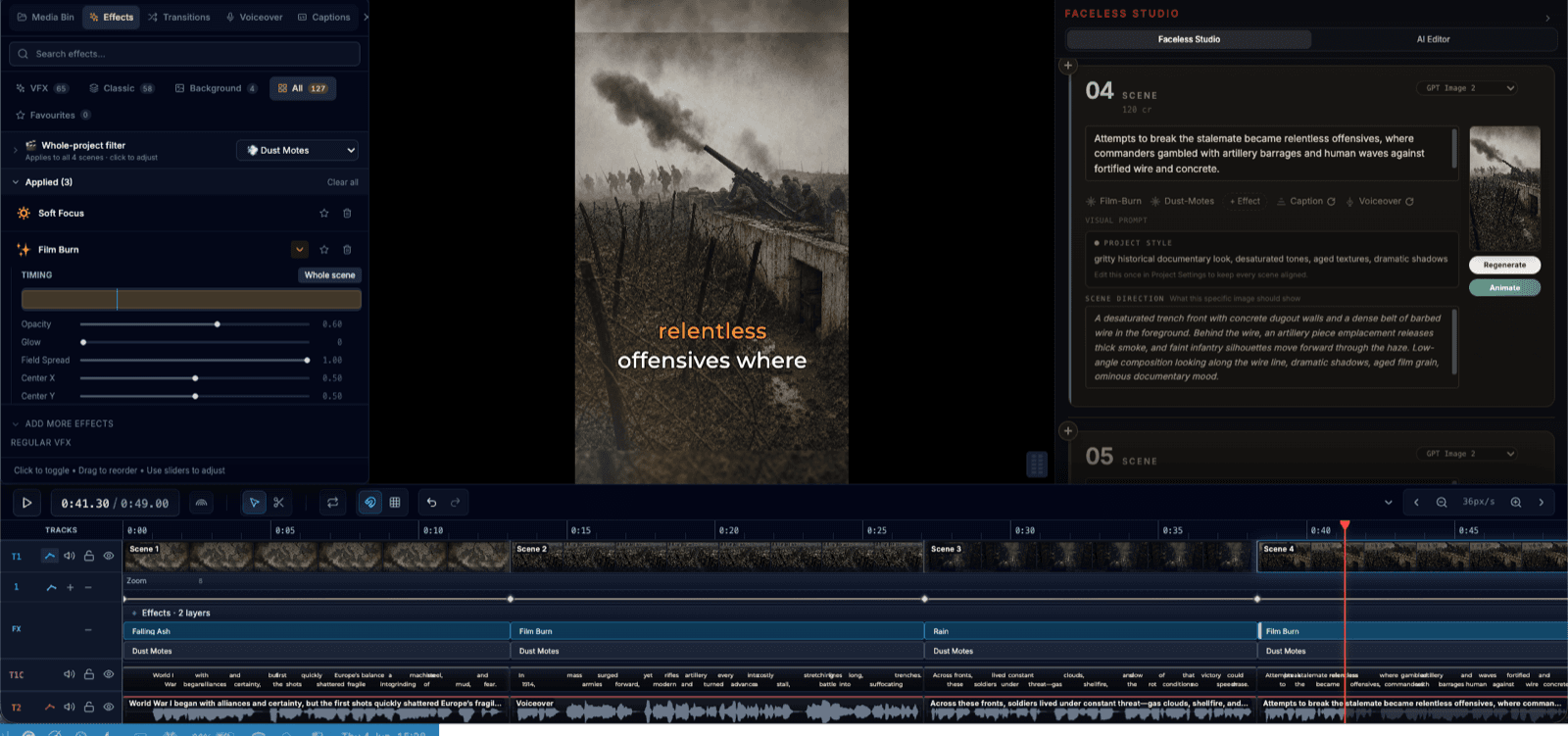
Generate scenes from text, then keep editing on the same timeline.

Auto-remove silence and dead air to tighten pacing instantly.

Free voiceover generation and transcription included on every plan.

Local-first projects — your work stays on your device until you choose otherwise.

Automate the slow parts of editing

Most of the time spent editing short-form video goes to repetitive work: trimming silence, aligning captions, adjusting voiceover timing, and getting transitions right. FrameCompose uses AI to handle the first pass of these tasks so you can start from a cleaner baseline.

The AI editor identifies silence in your audio and removes it automatically, generates caption tracks from your voiceover, and lets you produce a rough cut from a text prompt. You still make the creative decisions — the AI just gets you there faster.

Built for faceless video workflows

Faceless videos depend on three things: clean pacing, readable captions, and strong voiceover. FrameCompose brings all three together in a single editor. Generate narration, auto-generate captions, add background media, adjust timing, and apply transitions — all without switching between tools.

That end-to-end workflow makes FrameCompose a strong fit for creators producing shorts, explainers, Reddit story videos, educational content, or any format where the voice and text carry the video.

Generate first, then refine everything

Most AI video tools treat generation as the final step — you get an output and that is it. FrameCompose treats generation as the starting point. Generate a scene from a text prompt, then keep editing: adjust the caption timing word by word, swap or regenerate the voiceover, add transitions between scenes, and trim the pacing until it feels right.

That iterative workflow gives you a much better path from rough draft to publishable video, because you are always in control of the final result.

Local-first with no setup required

Projects are local by default, which means you can start editing immediately without creating an account or waiting for a cloud sync. Your project files stay on your device, and the editor runs entirely in your browser using WebGPU and WebCodecs for native-speed video processing.

When you are ready for Pro features like AI generation, everything connects seamlessly. But for drafting, editing, and exporting, the free local workflow is fast and fully capable.

Frequently asked questions

A few quick answers before you jump in.

What makes FrameCompose an AI video editor?

FrameCompose combines AI-powered generation with a full browser-based editing workflow. You can generate scenes from text prompts, remove silence automatically, add AI voiceover, and then keep editing captions, timing, transitions, and effects on the same timeline — all without leaving your browser.

Can the AI editor remove silence and dead air?

Yes. The AI editor detects and removes silence and dead air from your clips, which is especially useful for cleaning up talking-head recordings, voiceover takes, or faceless video workflows where tight pacing matters.

Is FrameCompose free to use?

Yes. The free plan includes local-first projects, free voiceover generation, free transcription and captions, and access to 100+ transitions and effects. The Pro plan adds AI video generation and 1,000 weekly credits for advanced features.

Do I need to install anything?

No. FrameCompose runs entirely in your browser using WebGPU and WebCodecs for hardware-accelerated video processing. There is nothing to download or install — just open the editor and start working.

Can I edit captions and voiceover after AI generates something?

Yes. Generation is just the starting point. You can keep editing captions word by word, re-record or regenerate voiceover, adjust timing, add transitions, and refine the cut until it is ready to publish.

Related pages

Explore the rest of the workflow, from first idea to final export.