For Shorts creators

Make YouTube Shorts with a hook you can keep fixing

Generate a vertical Short from one idea: AI visuals, voiceover, and word-by-word captions in 9:16. The draft lands on a real timeline, so you can re-cut the first two seconds until the hook actually hooks.

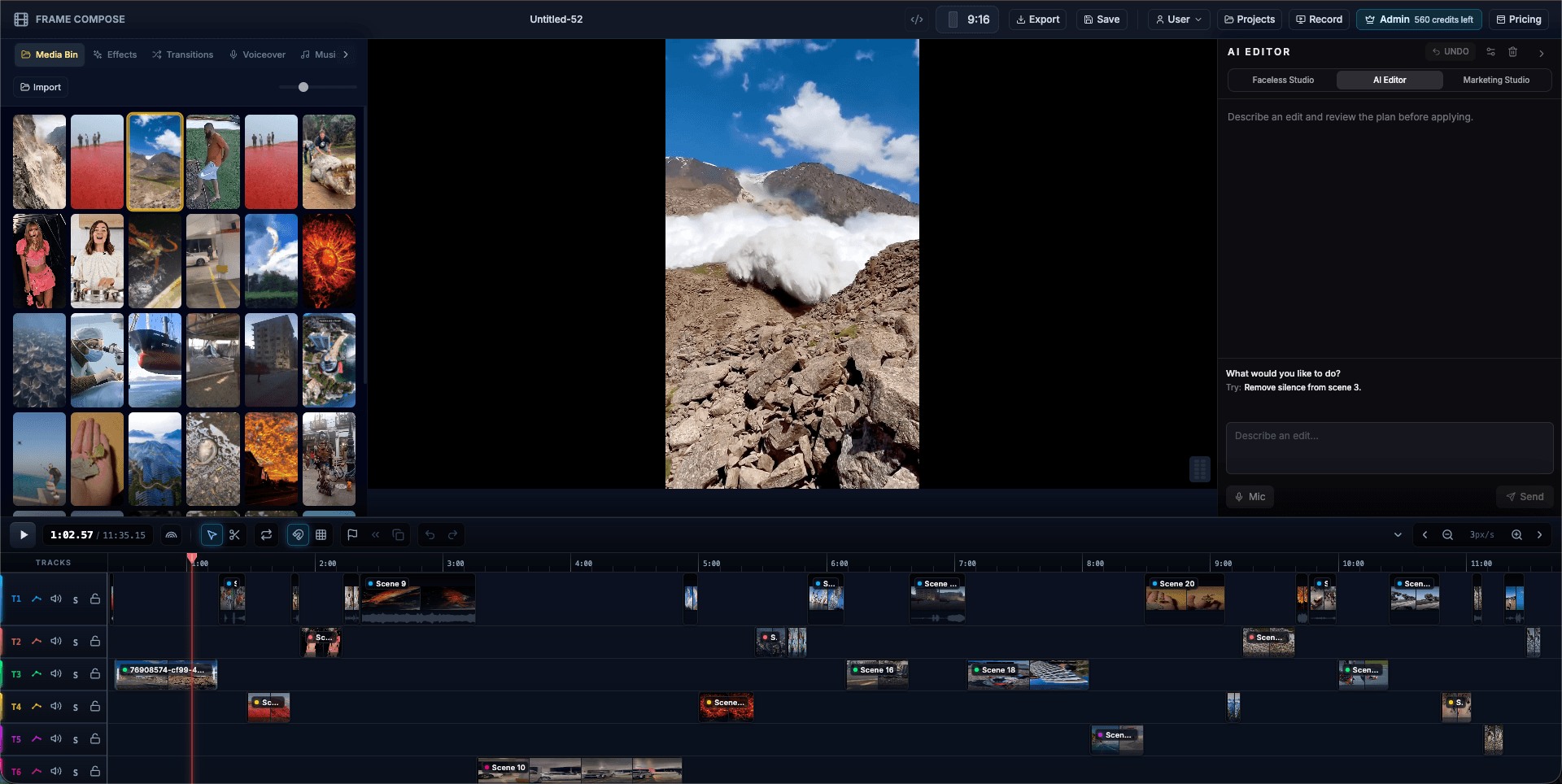
FrameCompose editing a vertical short with a portrait preview, edit panel, and multi-track timeline
A vertical Short on the timeline: preview, captions, and audio, all editable.

Vertical 9:16 output sized for Shorts, TikTok, and Reels.

AI visuals, voiceover, and synced captions from one prompt.

Re-cut the hook without regenerating the rest of the video.

GPU rendering in the browser, no upload queue.

Shorts reward iteration, not generation

Anyone can generate a Short. The channels that grow are the ones that iterate: testing hooks, tightening pacing, and adjusting captions based on what retains. A locked AI export cannot iterate. FrameCompose gives you the generated draft and the editor in the same place.

When a Short underperforms, open the project, change the first two seconds, and export again. No credits, no full regeneration.

The vertical format is handled for you

Scenes generate in 9:16 with captions positioned for phone screens and safe areas respected. You are not cropping a landscape video after the fact; the Short is vertical from the first frame.

Captions that survive the mute button

Most Shorts are watched with sound off at least at first. Word-by-word captions generate synced to the narration, and every word stays editable. Pick fonts and styles that match the channel, and reuse them across videos.

Post daily without a render farm

Everything runs in the browser: generation, editing, and hardware-accelerated rendering with WebGPU and WebCodecs. Scenes cost about 3 cents to generate and edits are free, so a daily schedule stays affordable.

Frequently asked questions

A few quick answers before you jump in.

How do I make a YouTube Short with FrameCompose?

Type an idea or script into Faceless Studio. It generates the scenes, voiceover, and captions in vertical 9:16, then drops everything on an editable timeline. Adjust the hook, pacing, and captions, then export directly for Shorts.

What makes a Short perform?

The first two seconds. Shorts are swiped away instantly, so the hook has to land immediately. Because FrameCompose output stays editable, you can re-cut the opening or reword the first caption without regenerating the video.

Can I use the same video for TikTok and Reels?

Yes. The 9:16 export works across YouTube Shorts, TikTok, and Instagram Reels. One project can be exported multiple times as you iterate.

Are captions included?

Yes. Word-by-word captions generate automatically, synced to the voiceover, and stay editable down to the word with fonts and styles that read well on a phone.

Is rendering fast?

Rendering runs in your browser on the GPU using WebGPU and WebCodecs, at native speed. There is no upload queue, so iterating on a Short takes seconds, not minutes.

Related pages

Explore the rest of the workflow, from first idea to final export.