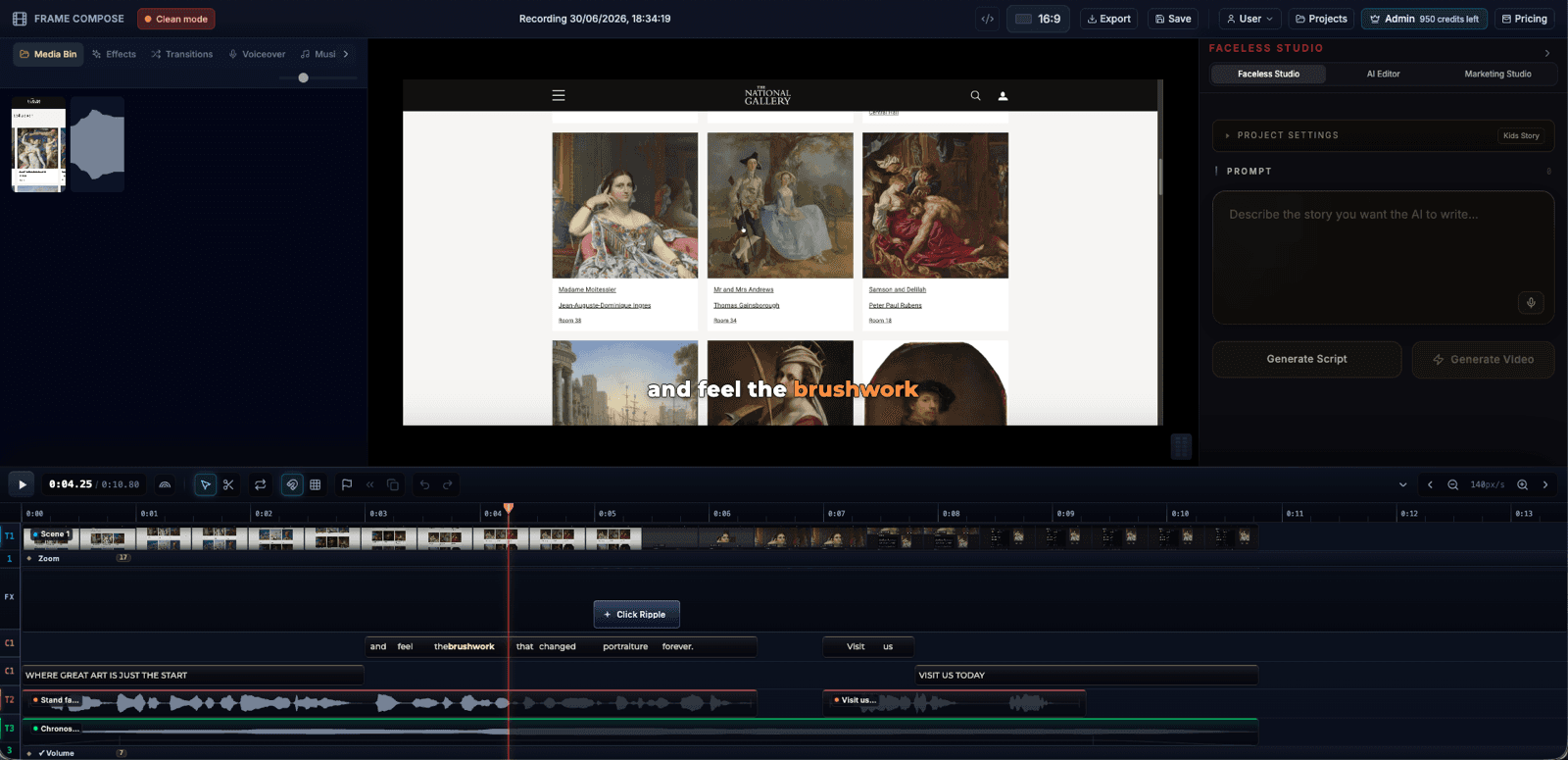
Marketing Studio

Record your product and turn it into a promotional video

Use the FrameCompose screen recorder to capture your website, app, or product demo. Marketing Studio turns that recording into an editable promotional video with captions, effects, auto zooming, voiceover, narration, music, and exports for social or your landing page.

Record your website, app, or product demo directly with the FrameCompose screen recorder.

Turn the recording into a promotional video with captions, effects, auto zooms, voiceover, and narration.

Create vertical exports for TikTok, Reels, and Shorts or wider videos for websites and landing pages.

Built for founders, marketers, agencies, creators, and small teams who need product videos faster.

From screen recording to promotional video

Most product videos start with a simple screen recording: a founder clicking through a website, a marketer showing a feature, or a team recording a product demo. Marketing Studio is built around that starting point.

Record your site, app, or workflow with the FrameCompose screen recorder, then turn that raw capture into a sharper promotional video with captions, effects, auto zooms, voiceover, narration, and music.

Built for website promos, SaaS demos, and launch clips

FrameCompose is useful for website promo videos, SaaS product demos, app walkthroughs, feature launch videos, tutorials, landing page videos, and short-form social ads.

Instead of handing viewers a raw recording, you can highlight the important UI moments, add auto zooms, layer in captions and effects, tighten the pacing, and create a version that feels made for marketing.

AI helps with the first draft, not the final word

AI video tools often give you a final render that is hard to change. FrameCompose treats AI as the starting point. You get help turning the recording into a structured promo with captions, zooms, music, voiceover, narration, and effects, but the result stays editable.

If a hook is weak, rewrite it. If a scene is too long, trim it. If a caption is wrong, fix it. If the narration needs a different tone, change it. The marketing video remains a real project, not a locked output.

One browser workflow from demo to export

A normal marketing video workflow jumps between recording software, transcription tools, video editors, caption generators, design apps, and social scheduling tools. FrameCompose brings the core creation workflow into one browser studio.

Record the demo, generate an editable promo draft, polish the timeline, then export for TikTok, Instagram Reels, YouTube Shorts, your website, or a product landing page.

Made for short-form product marketing

Short-form product videos need to explain value quickly. Viewers should understand what the product does within the first few seconds, then see enough proof to keep watching.

FrameCompose helps with clear opening hooks, caption-first editing, auto zooms on important UI moments, product-focused story structure, voiceover or narration, and exports sized for each platform.

For founders, marketers, agencies, and creators

Founders can make launch videos without hiring an editor. Marketers can produce product clips for campaigns and landing pages. Agencies can create repeatable promo videos for client websites, apps, and services.

Creators and small teams can turn tutorials, walkthroughs, and screen recordings into polished clips that look more intentional than a raw capture.

Frequently asked questions

A few quick answers before you jump in.

Can I make a promo video from my website?

Yes. Use the FrameCompose screen recorder to capture your website, app, or product walkthrough, then turn that recording into an editable promotional video with captions, effects, auto zooms, music, voiceover, narration, and a clearer story structure.

Is this useful for SaaS product demos?

Yes. The Marketing Studio workflow is built for SaaS demos, app walkthroughs, feature launches, product tours, and short videos that explain what a tool does and why viewers should care.

Does AI create a final locked video?

No. FrameCompose uses AI to help with the first draft, but the result stays editable. You can change scenes, captions, timing, zooms, music, effects, voiceover, and narration before exporting.

Can I export for TikTok, Reels, Shorts, and websites?

Yes. You can create vertical videos for TikTok, Instagram Reels, and YouTube Shorts, or wider formats for landing pages, websites, product pages, and YouTube.

Do I need video editing experience?

No. The workflow is designed to help you start from a product brief or screen recording and get to a usable marketing video without building the whole edit from scratch.

Related pages

Explore the rest of the workflow, from first idea to final export.