Marketing Studio

Make the product action visible without keyframing every click.

Marketing Studio uses the recording and interaction structure to draft a more focused product video. Automatic zooms draw attention to the relevant part of the interface while the final timing stays editable.

Maintained by the FrameCompose product team · Last reviewed 6 August 2026

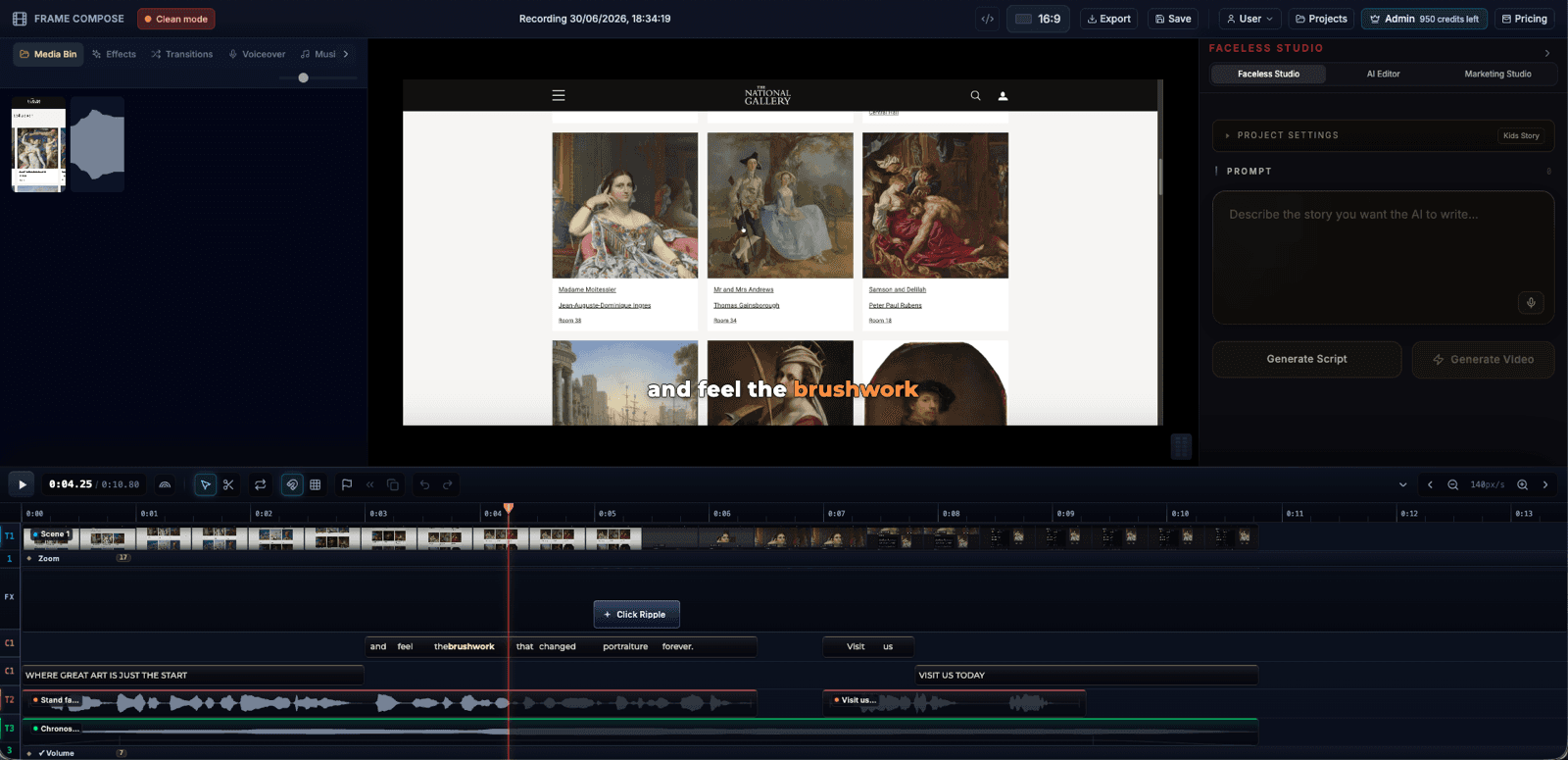
FrameCompose product promotion edit with screen recording, captions, narration, and zooms
The recording, zooms, captions, narration, and music remain editable.

Record the website or app workflow in the browser.

Draft zooms around important product interactions.

Add captions, narration, music, and section cards.

Correct or remove any automated zoom before export.

Record the task once

Walk through the product as a real user would. A clear recording with deliberate clicks and short pauses gives the editing pass stronger signals than a rushed or wandering capture.

The raw recording remains the source, so the promotional edit can be revised without recording the entire flow again.

Use zooms to explain, not decorate

A useful zoom answers a question: where did the click happen, what changed, or which result matters? Automatic zooms provide a first pass, but the editor should remove any movement that obscures context or causes motion fatigue.

The best demos alternate focused detail with enough wide framing to keep the interface understandable.

Build the rest of the demo around the recording

Add a hook, section labels, captions, voiceover, music, and a final call to action. Because those elements remain separate, a product wording change does not require recreating the screen capture.

The same source can be adapted for a landing page, sales email, product launch, or vertical social clip.

Where automatic zooms need correction

Dense interfaces, rapid clicks, browser popovers, and actions near the edge of the capture can produce awkward framing. Review every zoom on the final aspect ratio and adjust the timing or crop where necessary.

Frequently asked questions

A few quick answers before you jump in.

Does FrameCompose record my screen?

Marketing Studio includes a browser recording workflow for websites and product demonstrations.

Are automatic zooms permanently baked into the recording?

No. They are part of the editable project and can be changed or removed.

Can I add narration after recording?

Yes. Add AI voiceover, captions, music, and other editing elements after the capture.

Can I export a vertical version of a product demo?

Yes. Review the zoom framing in the chosen aspect ratio before export because a vertical crop has less surrounding context.

Related pages

Explore the rest of the workflow, from first idea to final export.