AI face swap and character swap

Put yourself in any video with AI face swap.

Drop in a clip and a photo, say what you want, and FrameCompose swaps the person on screen for the person in your photo. Every move, camera angle and sound stays in sync, and the new clip lands straight on your timeline, ready to caption, cut and post.

Maintained by the FrameCompose product team · Last reviewed 28 October 2026

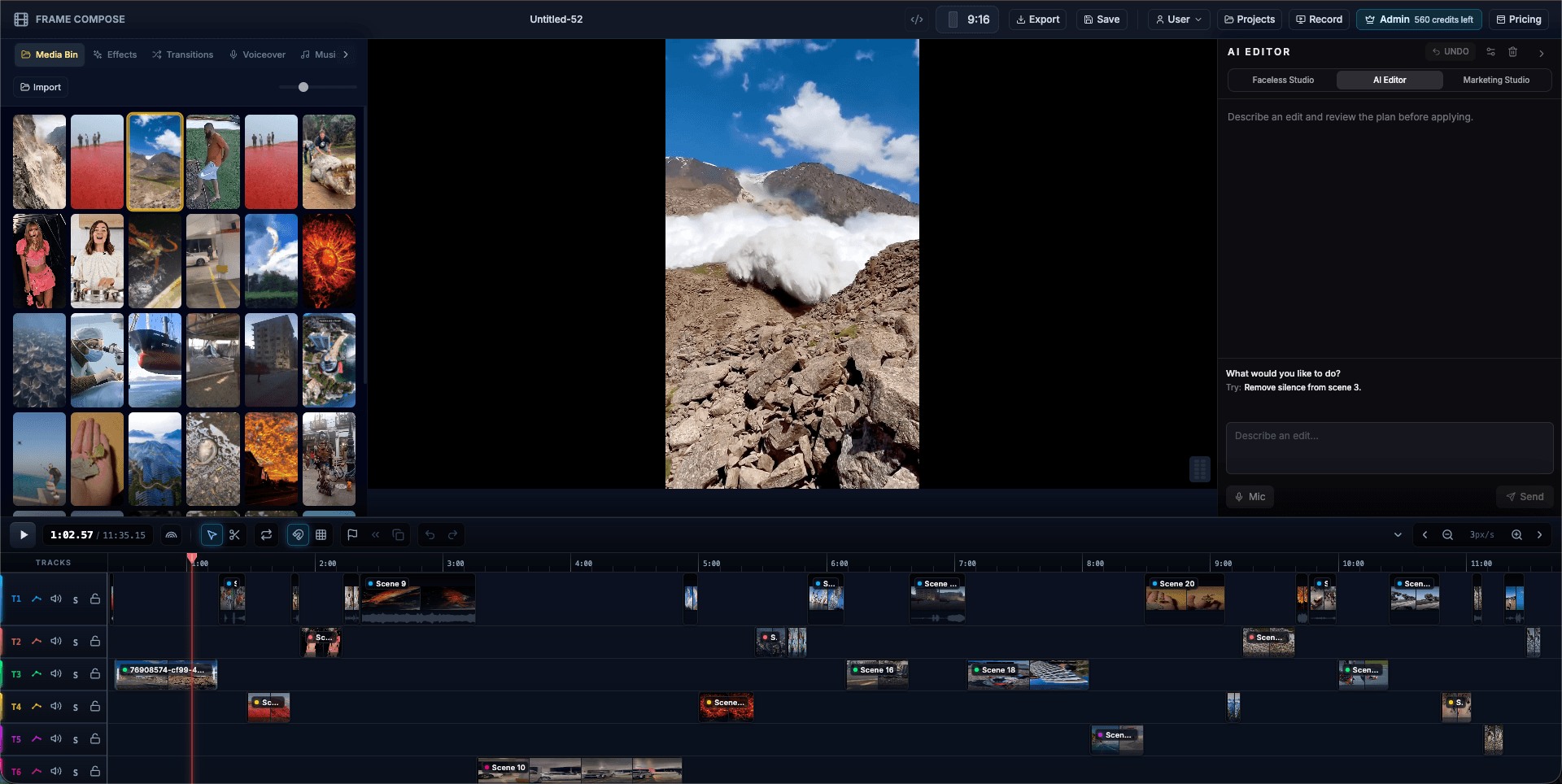
FrameCompose browser editor with clips, captions and audio on a multi-track timeline
Your swapped clip lands on the timeline, ready to caption and export.

Swap yourself into a clip in about two minutes.

Face, hair and outfit swapped: a full character swap.

Every move, camera angle and sound kept in sync.

See the exact price before you render. No subscription needed.

Face swap a video in three steps

Add the clip and a clear photo of the person you want in it to your timeline. Short clips of up to 10 seconds work best, as an MP4 or MOV.

Tell the AI editor what you want in plain words. It finds the right clip and photo on its own, even by file name.

Check the price, confirm, and your swapped clip renders in about two minutes, right next to the original.

Put yourself in a clip

Your photo and the clip are on the timeline.

Put the person in my photo into this clip

Swap a character

Point at any clip or photo by name.

Swap the man in scene 2 for the person in selfie.jpg

What you can make with it

Star in your favourite scene, jump into a trend, or put yourself in a music video. Make birthday and wedding clips starring your friends, turn a stock clip into an ad with your own presenter, or keep the same AI character across every video in a series.

Because the swap happens inside a full video editor, the clip is only the start: add captions, voiceover, music and other scenes, then export the finished video.

Every move, every cut, every sound

The swap replaces the whole person, face, hair and clothing, while the movement, framing, camera moves, background and original sound stay exactly as filmed. It follows the clip through camera cuts, so a multi-shot clip still reads as one performance.

Tips for a perfect swap

Pick a clip where your person is clearly in shot, ideally on their own, and a sharp, well-lit photo with the face fully visible. Steady shots give the cleanest results, and the editor flags a busy clip before you spend anything.

Safe to share, built in

Every swap includes a one-tap check that the photo is you, or someone who said yes, so what you post is yours to post. If a render ever fails, your credits come straight back.

Frequently asked questions

A few quick answers before you jump in.

How do I face swap a video?

Add a clip and a photo to the FrameCompose editor, ask the AI to put the person in your photo into the clip, confirm the price, and the swapped clip renders in about two minutes.

Is it a face swap or a character swap?

Both. FrameCompose swaps the whole person, face, hair and outfit, so the person in your photo fully takes over the clip.

How much does a face swap cost?

About 60 credits for a clip of up to 5 seconds at 720p and about 120 for up to 10 seconds, shown before you confirm. Credits start at 500 for $5.99 with no subscription, and editing and exporting are free.

How long does it take?

About two minutes for a short clip.

What clips work best?

Clips of up to 10 seconds, as an MP4 or MOV, with your person clearly in shot. Swap several clips one after another for a longer video.

Do I need to install anything?

No. FrameCompose runs in your browser, on desktop or phone.