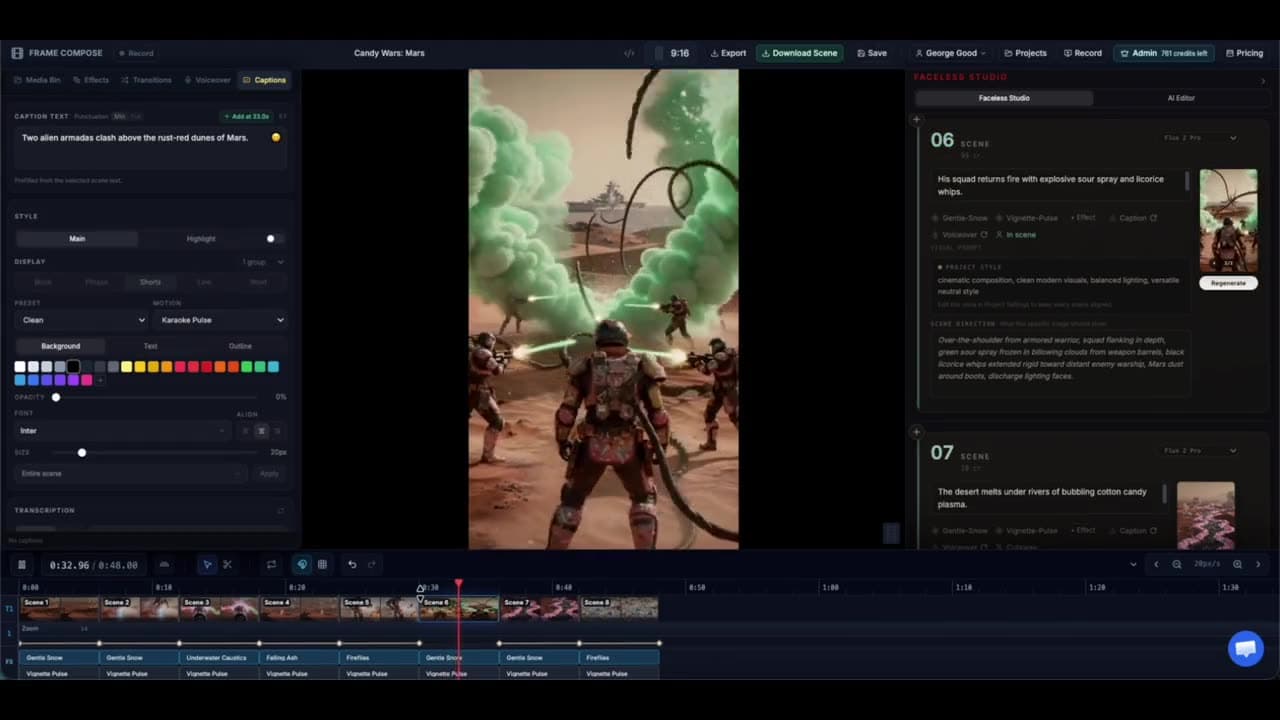
Kids story format

Turn a simple lesson into a complete visual story.

The kids-story template helps organise a gentle story arc, recurring characters, age-appropriate narration, and a consistent illustrated or animated look.

Maintained by the FrameCompose product team · Last reviewed 6 August 2026

FrameCompose Video Studio generating an illustrated scene-based short from a prompt
Generated story scenes remain open to adult review and correction.

Beginning, challenge, attempt, resolution, and goodnight structure.

Recurring character and visual-style controls.

Narration, captions, music, and scene timing remain editable.

A complete shy-dragon bedtime recipe included below.

Live recipe proof

Kids Bedtime Story

A gentle watercolor storybook with a cozy golden glow on every scene

Template
Kids Story
Style
Watercolor Storybook
Camera direction
Cozy storybook (Golden warmth, floating dust, gentle drift)
Talking mode
Off-screen voiceover (a voice reads the script + captions)
Model
Images · Nano Banana 2
Length
~48s (8 scenes)

Exact prompt

A shy little dragon named Ember is afraid of the dark — which is a problem, because dragons are supposed to make fire. One night the fireflies go missing and only Ember can help, if she can find the tiny spark of brave inside her. End with her lighting up the whole valley and a soft goodnight.

Choose one clear emotional lesson

Children’s stories are easier to follow when the character wants one thing and learns one thing. Pick a concrete fear, friendship problem, responsibility, or act of kindness rather than stacking several lessons into one short video.

The ending should resolve the emotional question as well as the plot.

Make the character recognisable

Define the character’s name, shape, colours, clothing, scale, and important props. Reuse reference material and style settings, then review every scene for drift.

If one illustration changes the character too much, replace only that scene while keeping the narration and structure.

Write for listening and watching

Use simple spoken sentences, clear actions, and enough time for the visual to register. Captions can support early readers, but they should not cover the character or demand adult reading speed.

Music and effects should support the mood without startling or overpowering the narration.

Adult review is essential

Generated stories and images can contain confusing, frightening, stereotyped, or age-inappropriate details. An adult should review the script, visuals, voice, captions, and platform suitability before showing the video to children.

Frequently asked questions

A few quick answers before you jump in.

Can I keep the same character across the story?

Reference and style controls improve continuity, and individual scenes can be repaired when the character drifts.

Can I change the narrator voice?

Yes. Choose an available voice and review pacing, pronunciation, and emotional tone.

Can the story be used as a bedtime video?

Yes. Use calmer pacing, gentle music, fewer rapid cuts, and an age-appropriate ending.

Does FrameCompose guarantee child-safe output?

No. A responsible adult must review every generated script, image, voice, and caption before publication or playback.

Related pages

Explore the rest of the workflow, from first idea to final export.