Voiceover

Turn the script into narration without losing the script.

Generate voiceover as part of the project, keep the spoken text visible, and repair individual lines when pronunciation, pacing, or delivery needs another pass.

Maintained by the FrameCompose product team · Last reviewed 6 August 2026

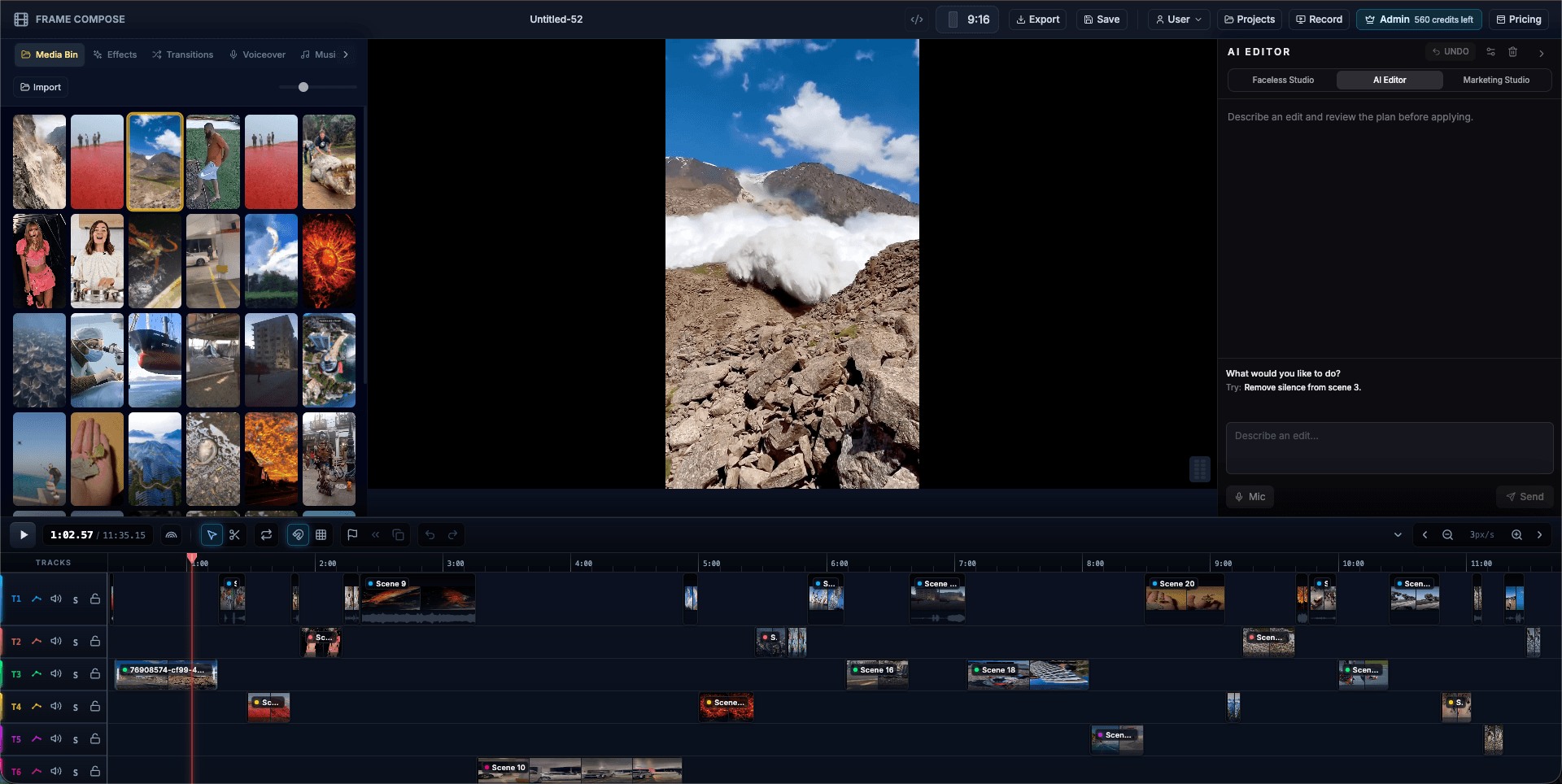
FrameCompose timeline showing scene, caption, music, and voiceover tracks
Narration, captions, and scene timing can be reviewed together.

Generate narration from the approved script.

Choose from the voice providers and voices available to your plan.

Replace a scene take without rebuilding the visuals.

Keep voiceover, captions, and scene timing visible together.

Voiceover belongs inside the edit

Generating narration in a separate tool creates a handoff problem: every script change means exporting, renaming, importing, and retiming another file. FrameCompose keeps narration connected to the scene workflow so corrections happen where the video is assembled.

The spoken line can also drive the caption timing and the visual duration.

Preserve the words you approved

For script-led projects, the voiceover should read the approved wording rather than silently summarising it. Review the final script first, then generate the take and listen against the scene.

If a name or phrase is pronounced poorly, adjust the wording or regenerate the affected take rather than replacing unrelated scenes.

Treat voices as performances

Different voices vary in pace, tone, emphasis, language support, and pronunciation. Test a short line before committing a long script, especially when the content contains acronyms, dates, or uncommon names.

A voice that sounds impressive in isolation may still be too slow or theatrical for a fast vertical video.

Limits and responsible use

Synthetic speech can mispronounce text or sound unnatural in certain contexts. Do not imitate a real person without permission, and disclose synthetic narration where the platform, audience, or use case calls for it.

Frequently asked questions

A few quick answers before you jump in.

Can the voiceover read my exact script?

Yes. Script-led generation is designed to preserve the approved wording rather than replace it with a summary.

Can I regenerate only one voiceover line?

You can repair narration at the scene or take level instead of rebuilding the entire video.

Are all voices available on every plan?

Voice and provider availability can vary by plan, browser, language, and current provider support.

Do captions stay aligned with regenerated voiceover?

Caption timing can be rebuilt or adjusted against the updated narration, and both remain editable before export.

Related pages

Explore the rest of the workflow, from first idea to final export.