Turn your ChatGPT story and pictures into a video

You already have the story and the pictures. Paste the story, add all its pictures at once, and press one button. A narrator reads your exact words, captions light up word by word, and our AI directs every scene: a camera move for each picture, effects that match the moment, transitions that follow the story and music under the voice. Free, with no credits and no card.

Turn my ChatGPT story into a video

Free with your own pictures. No credits, no card.

How it works

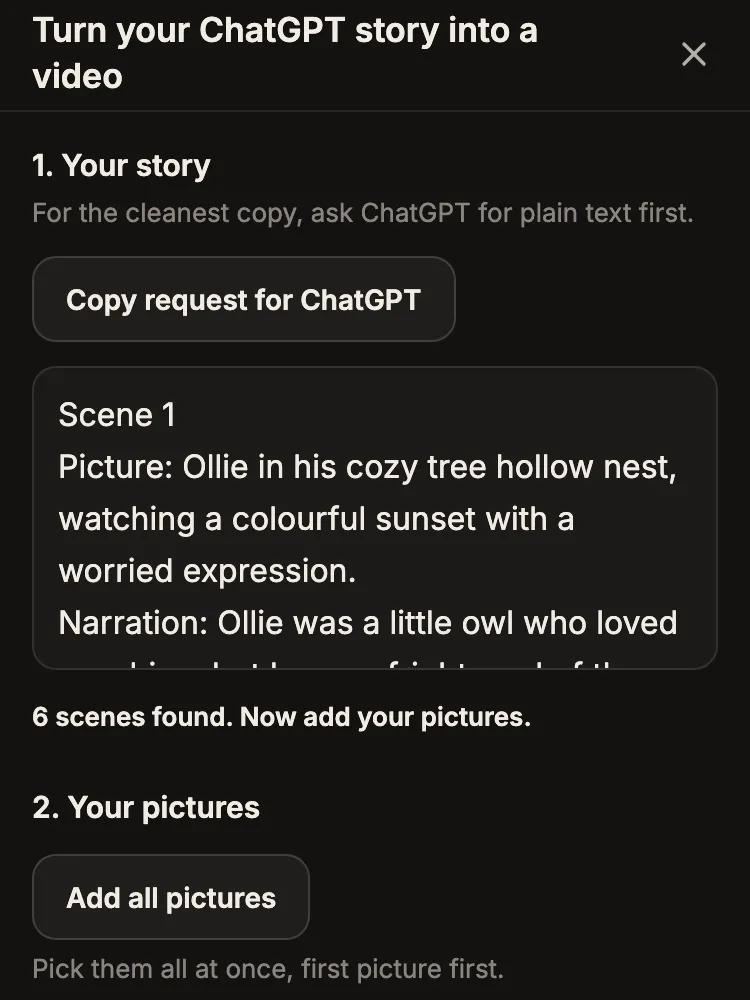
  1. The ChatGPT story pasted into FrameCompose, with the Copy request for ChatGPT button above it

    1. Paste your story

    Copy ChatGPT's reply and paste it in. FrameCompose finds the scenes.

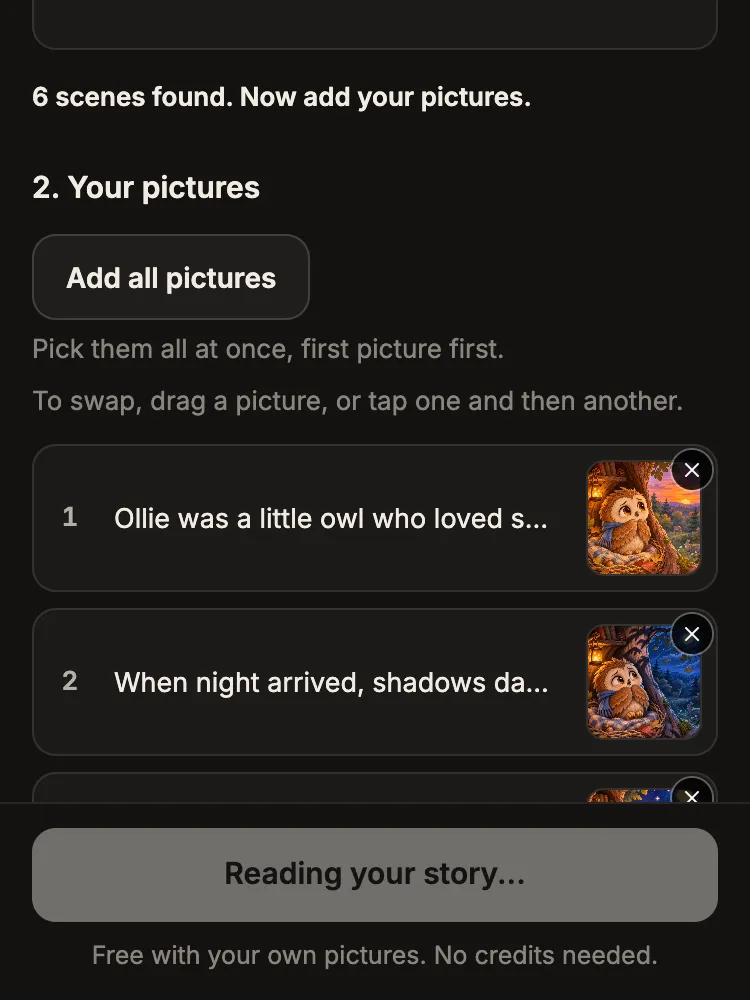
  2. All the pictures added at once, the first picture on the first scene

    2. Add all pictures

    Save the pictures from your chat, then pick them all at once. The first picture goes with the first scene.

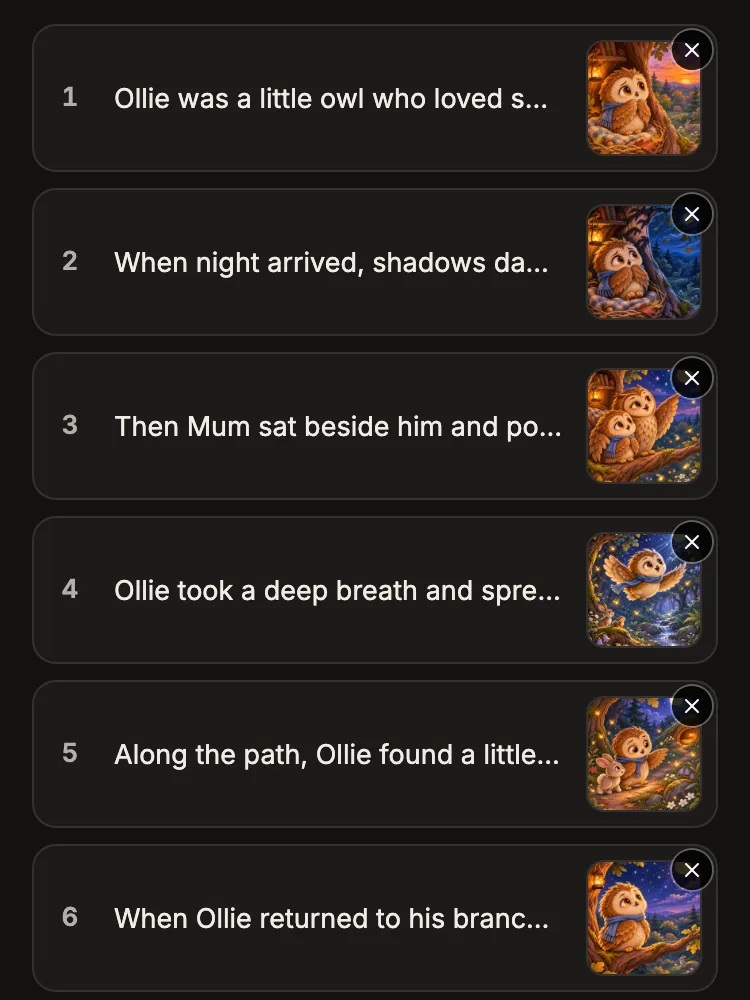
  3. Six scenes, each showing its first words beside its picture

    3. Check the order

    Each scene shows its first words beside its picture. Drag a picture, or tap one and then another, to swap them.

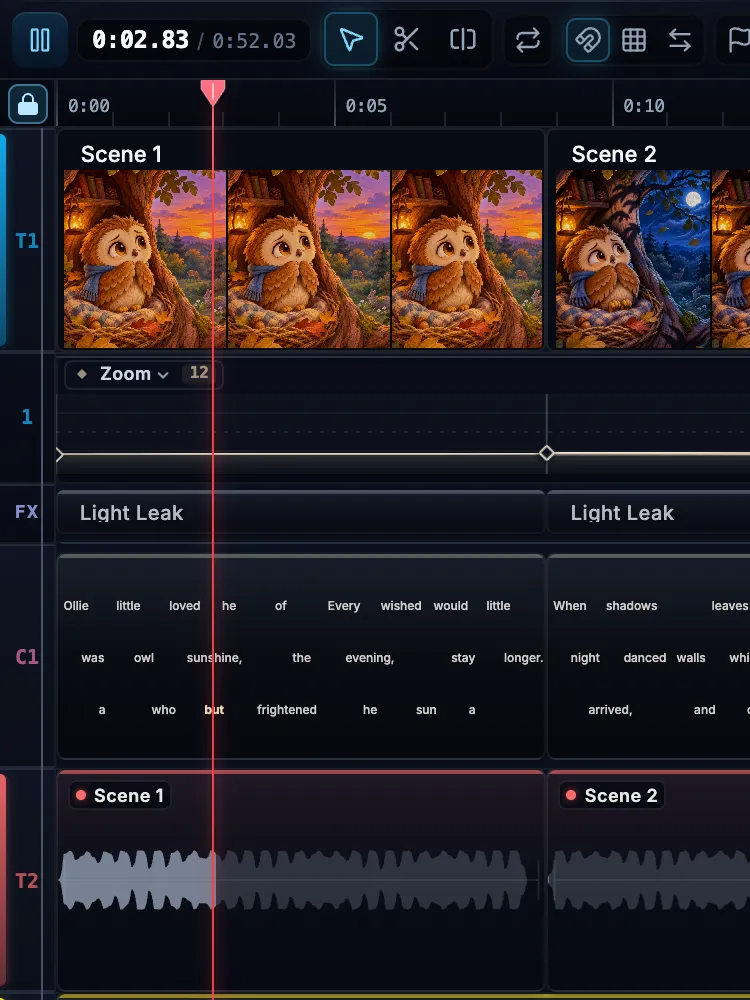
  4. The finished story on the editor timeline: pictures, word-by-word captions and the narrator's voice

    4. Press Make my video

    Our AI directs every scene: the narrator, captions, camera moves, effects and music go on, and your video starts playing in the editor. Change what you like, then press Export at the top to download it free.

Directed for you, scene by scene

Your pictures don't just get stitched into a slideshow. Our AI reads your story and directs the video around it, scene by scene, so it plays like a finished short.

  • Scene direction

    Our AI reads every scene and writes its direction: what is in it, how much energy it has, where the story turns and the one word that carries it. Every choice below follows that direction.

  • A camera move for every picture

    Each picture gets its own camera move, chosen from what happens in that scene: a slow push in, a pull back or a drift across the picture. No two scenes in a row move the same way, and on the big moments the camera leans in on the word that lands it.

  • Effects that match the moment

    Rain falls when it rains, snow drifts when it snows, fireflies glow and stars twinkle. Moving effects are chosen from each scene, and one look ties the whole video together.

  • Transitions that follow the story

    A clean cut out of the opening, soft fades for gentle stories, quick cuts for tense ones, and a special transition saved for the moment the story turns.

  • Music matched to the mood

    Music picked for your kind of story plays underneath, fades in and out, and dips under the narrator every time they speak.

  • Narration timed to the pictures

    A narrator reads your exact words in your story's language, and each scene lasts exactly as long as its line, so the picture changes when the story does.

  • Captions in time with the voice

    Captions light up word by word in time with the narrator, and Arabic reads right to left.

  • Framed for the screen

    Your video takes the shape of your pictures, and each picture sits whole in the frame over a soft blurred copy of itself instead of being stretched.

All of it is free with your own pictures, and every choice can be changed in the editor.

What you get free

Bring your own pictures and the whole video is free, with no credits and no card. Every scene of your story goes in, up to 20, read by a narrator in your exact words, with captions that light up word by word.

All of that direction comes free: the camera moves, the moving effects, the transitions and the music under the narrator. Your pictures stay your pictures: nothing is redrawn.

Tall pictures make a TikTok or Shorts video, and wide pictures make a YouTube video, so it fits where you post it. Download it free, with no watermark.

Getting your story out of ChatGPT

Copy ChatGPT's answer and save each picture from the chat. PNG, JPG and WebP pictures up to 20 MB each all work.

If your story is spread across a long chat, press Copy request for ChatGPT in the import, paste it into your chat, and ChatGPT writes the whole story out again scene by scene, word for word, ready to paste.

For parents, teachers and kids channels

Parents turn tonight's bedtime story into a video the kids can watch again and again. Teachers turn a class story into a video the whole room can follow. Channel makers turn a ChatGPT picture story into a finished, narrated video in minutes.

Write it in Spanish, Arabic, French or many other languages: the narrator reads it in that language, with captions to match. The buttons are in English.

After it plays

Your story opens in a real editor. Change a line, swap a picture, pick another voice or restyle the captions.

Want the characters themselves to move? That is full animation: Animate any scene into a moving clip with credits.

Frequently asked questions

Quick answers before you bring your story in.

Is it really free?

Yes. With your own picture on every scene, making the video uses no credits and no card, and downloading is free with no watermark.

How do I bring my story over from ChatGPT?

Copy ChatGPT's reply and paste it in, then save the pictures from your chat and add them all at once. You choose exactly which pictures go in, and the first picture goes with the first scene.

What if a scene has no picture?

Your story still comes in with every scene. Add the missing picture any time with Use my picture on that scene. You can also have the AI draw it: you get 7 free animated scenes a week, and credits draw more.

How many pictures can I add?

Add them all at once, up to 20 scenes. Extra pictures, like a cover, are saved to your media.

Will it be portrait or landscape?

It follows your pictures. Tall pictures make a 9:16 video for TikTok, Reels and Shorts, wide ones make a 16:9 video for YouTube, and square ones make a square video.

Will the characters move?

Every picture gets a camera move chosen for its scene, effects that match the moment and transitions that follow the story, all free. To make the characters themselves move, Animate a scene into a moving clip with credits.

Does it work in other languages?

Yes. The narrator reads your story in the language you wrote it in, word for word, with matching captions. The buttons are in English.

Can I change it afterwards?

Yes. It opens in a real editor, so you can change any line, swap a picture, change the voice or restyle the captions, then download it again.

Your story is ready. Make it a video.

Paste it, add the pictures, press Make my video. Free with your own pictures.

Related pages

More ways to turn a story into a video.