AI motion transfer

Make any photo dance with AI motion transfer.

Pick any video with the moves you love, a viral dance, a wave, a walk, and add a photo. FrameCompose brings the photo to life so that person performs the exact same moves, then drops the clip on your timeline for music, captions and export.

Maintained by the FrameCompose product team · Last reviewed 28 October 2026

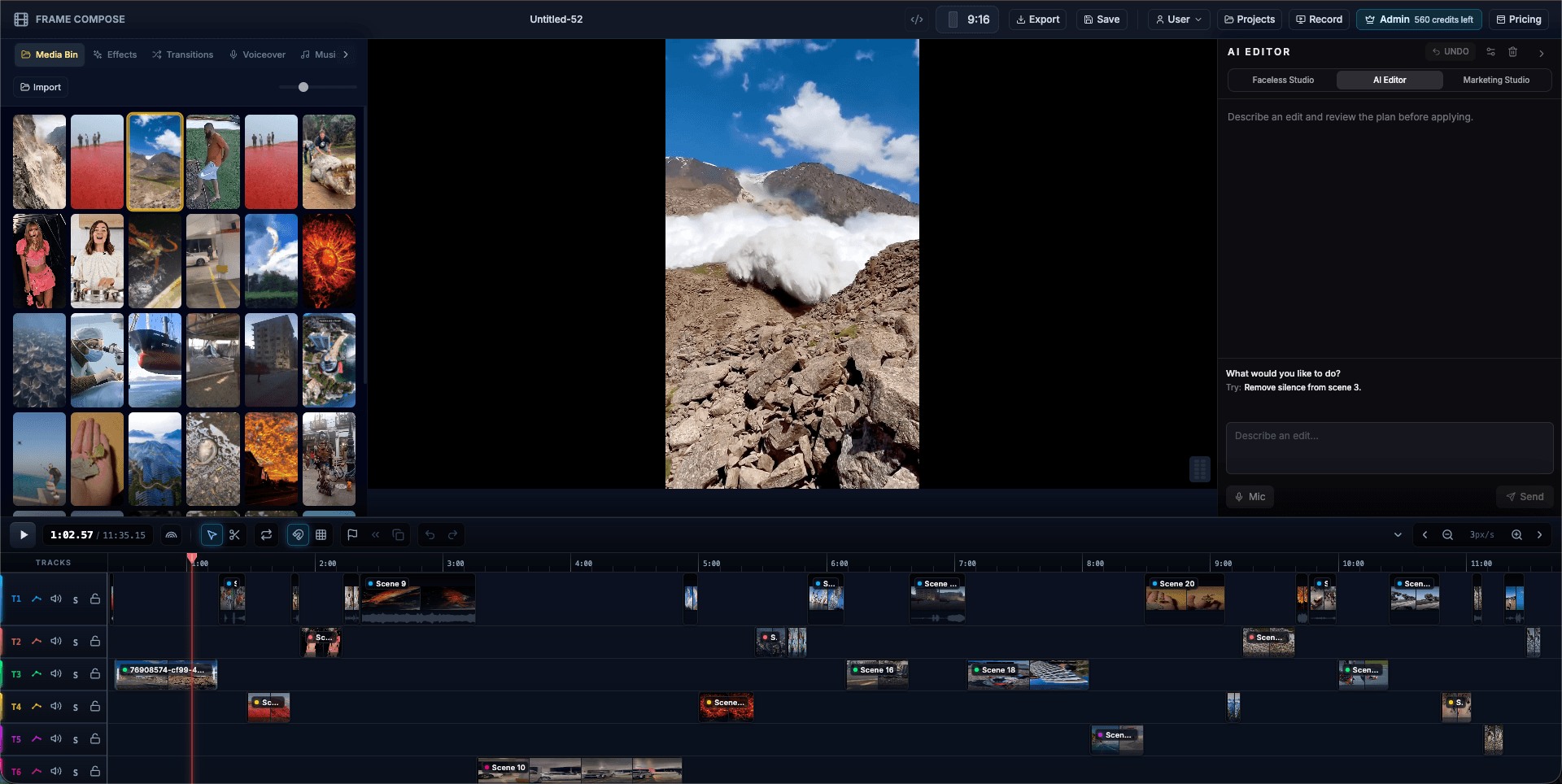
FrameCompose browser editor with clips, captions and audio on a multi-track timeline
Your new clip lands on the timeline next to the moves it copied.

Copy any dance, gesture or walk onto a photo.

Clips of up to 30 seconds, perfect for trends.

Set the scene in words: a beach, a stage, a city at night.

See the exact price before you render. No subscription needed.

Make a photo dance in three steps

Add the video with the moves and a photo of the person who should perform them to your timeline. Any clip from 3 to 30 seconds works, as an MP4 or MOV.

Tell the AI editor what you want, like "make me do this dance". It finds the right video and photo on its own, even by file name.

Check the price, confirm, and your new clip renders on the timeline, the same length as the moves you copied.

Copy a dance

The dance video and your photo are on the timeline.

Make me do this dance

Pick files by name

Point at any clip or photo by name.

Make the person in portrait.png copy the moves in scene 2

What you can make with it

Jump on dance trends without learning the routine, bring a brand mascot or AI influencer to life, turn an old family photo into a birthday surprise, or make your character wave, walk and present in every video of a series.

Add music, captions and a voiceover in the same editor and post a finished video, not just a clip.

Get the best moves

Choose a video where the whole movement stays in frame, and match your photo to it: a full-body dance looks best with a full-body photo. A sharp, evenly lit photo with the person facing the camera gives the cleanest result.

Motion transfer or face swap?

Motion transfer starts from your photo: the person, outfit and setting come from the photo, and the moves come from the video. A face swap starts from the video: its background, camera and sound stay, and the person in it becomes the person in your photo. FrameCompose does both.

Safe to share, built in

Every render includes a one-tap check that the photo is you, or someone who said yes. If a render ever fails, your credits come straight back.

Frequently asked questions

A few quick answers before you jump in.

What is AI motion transfer?

It brings a still photo to life using the moves from a video, so the person in the photo performs the same dance, gesture or walk.

How do I make my photo dance?

Add a dance video and your photo to the FrameCompose editor, ask the AI to make you do the dance, confirm the price, and your dancing clip lands on the timeline.

How long can the video be?

From 3 to 30 seconds. The new clip runs the same length as the moves you copy.

How much does it cost?

About 21 credits per second of video, shown before you confirm, so a 10-second dance is about 210 credits. Credits start at 500 for $5.99 with no subscription, and editing and exporting are free.

Which AI model powers it?

Kling Motion Control, run inside the FrameCompose editor so the result goes straight onto your timeline.