Higgsfield Genjutsu alternative

Everything you want from Genjutsu, inside a full video editor.

Swap yourself into any clip, make any photo dance, or restyle any video in a new look. With FrameCompose the result lands straight on a timeline, so you finish the whole video, with captions, voiceover and music, without leaving your browser.

Maintained by the FrameCompose product team · Last reviewed 28 October 2026

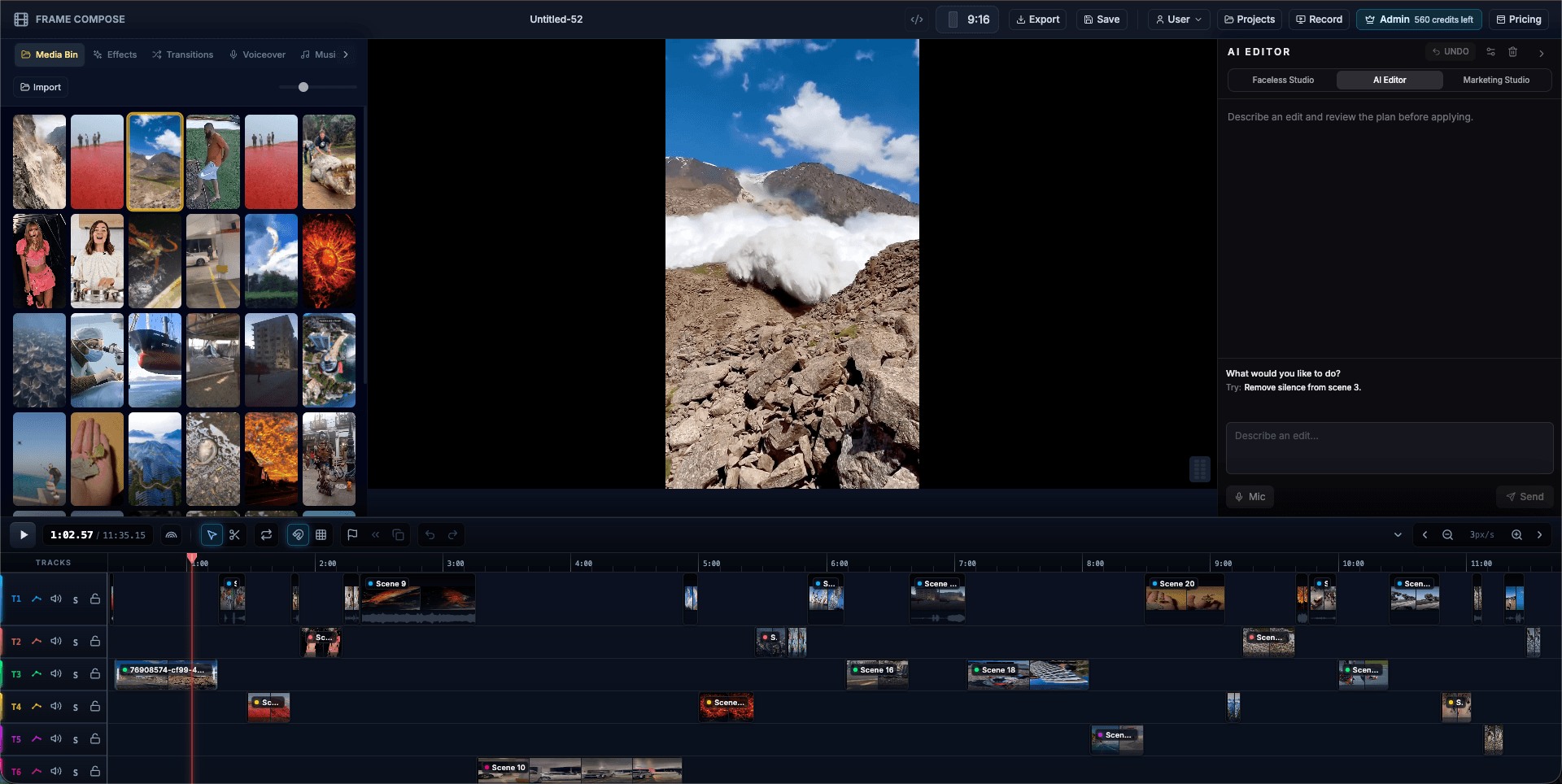
FrameCompose browser editor with clips, captions and audio on a multi-track timeline
Swapped and restyled clips sit on the same timeline as the rest of the video.

Swap yourself into any clip, make any photo dance, or restyle any video.

Every result lands on a full timeline with captions, voiceover and music.

Pay as you go from $5.99, with the exact price shown before every render.

Runs in your browser. Editing and exporting are free.

FrameCompose and Genjutsu, side by side

Genjutsu details come from Higgsfield’s own Genjutsu pages and changelog, checked on 28 October 2026.

ProductSwap a person into a clipMake a photo copy movesRestyle a whole clipFull timeline editorCaptions, voiceover and musicConsent check on every render
FrameComposeYes, in about two minutesYes, clips up to 30 secondsYes, any style you describeYes, multi-track, in the browserYes, in the same projectYes, built in
Higgsfield GenjutsuYes (Object Swap)Yes (Motion Transfer)Yes (Restyle)Not part of Genjutsu: it delivers a clipNot part of GenjutsuNot described on its pages

Swap yourself into any clip

Add a clip and a photo, tell the AI editor what you want, and the person on screen becomes the person in your photo, face, hair and outfit, with every move, camera angle and sound kept. A short clip renders in about two minutes.

Make any photo dance

Pick a video with the moves, a viral dance, a wave, a walk, and a photo. FrameCompose makes that person perform the same moves, for clips of up to 30 seconds, and you can set the scene in words.

Restyle any video

Turn footage or AI-generated scenes into anime, cartoon, claymation, pixel art or any look you can describe, while every person and movement stays in place.

Finish the whole video, not just one clip

This is where FrameCompose pulls ahead. Your swapped, moved or restyled clip lands on a multi-track timeline next to your other clips and AI-generated scenes. Add captions, voiceover, music, effects and transitions, then export the finished video from your browser. Editing and exporting are free.

Pay as you go, see every price first

Credit packs start at 500 credits for $5.99 with no subscription, and a 5-second face swap is about 60 credits. The editor shows the exact price before every render, and if a render ever fails your credits come straight back.

Frequently asked questions

A few quick answers before you jump in.

What is the best Higgsfield Genjutsu alternative?

FrameCompose gives you face and character swap, motion transfer and video restyle inside a full browser video editor, so every result goes straight into a finished video with captions, voiceover and music. Pay as you go from $5.99, with the price shown before every render.

What is Higgsfield Genjutsu?

Genjutsu is Higgsfield’s tool for changing part of an existing video: Motion Transfer rebuilds a character or scene on a clip’s movement, Object Swap changes one element, and Restyle redraws the clip in a new look. It delivers a finished clip.

Is there a free Genjutsu alternative?

The FrameCompose editor, captions and exports are free. Swaps, motion transfer and restyle use credits, from about 60 credits for a 5-second face swap, and credit packs start at 500 for $5.99 with no subscription.

Can I put my own face into a video?

Yes. Add a clip and a photo of yourself, ask the AI editor to swap you in, and your clip renders in about two minutes.

Can I use clips I made in Genjutsu?

Yes. Upload them to FrameCompose and build the finished video around them with captions, voiceover, music, other scenes and transitions on one timeline.