AI video restyle

Turn any video into anime, cartoon or any look you can describe.

Describe a style and FrameCompose repaints your clip in it, keeping every person, object and movement. Restyle one shot or a whole series, then finish the video with captions, music and voiceover in the same editor.

Maintained by the FrameCompose product team · Last reviewed 28 October 2026

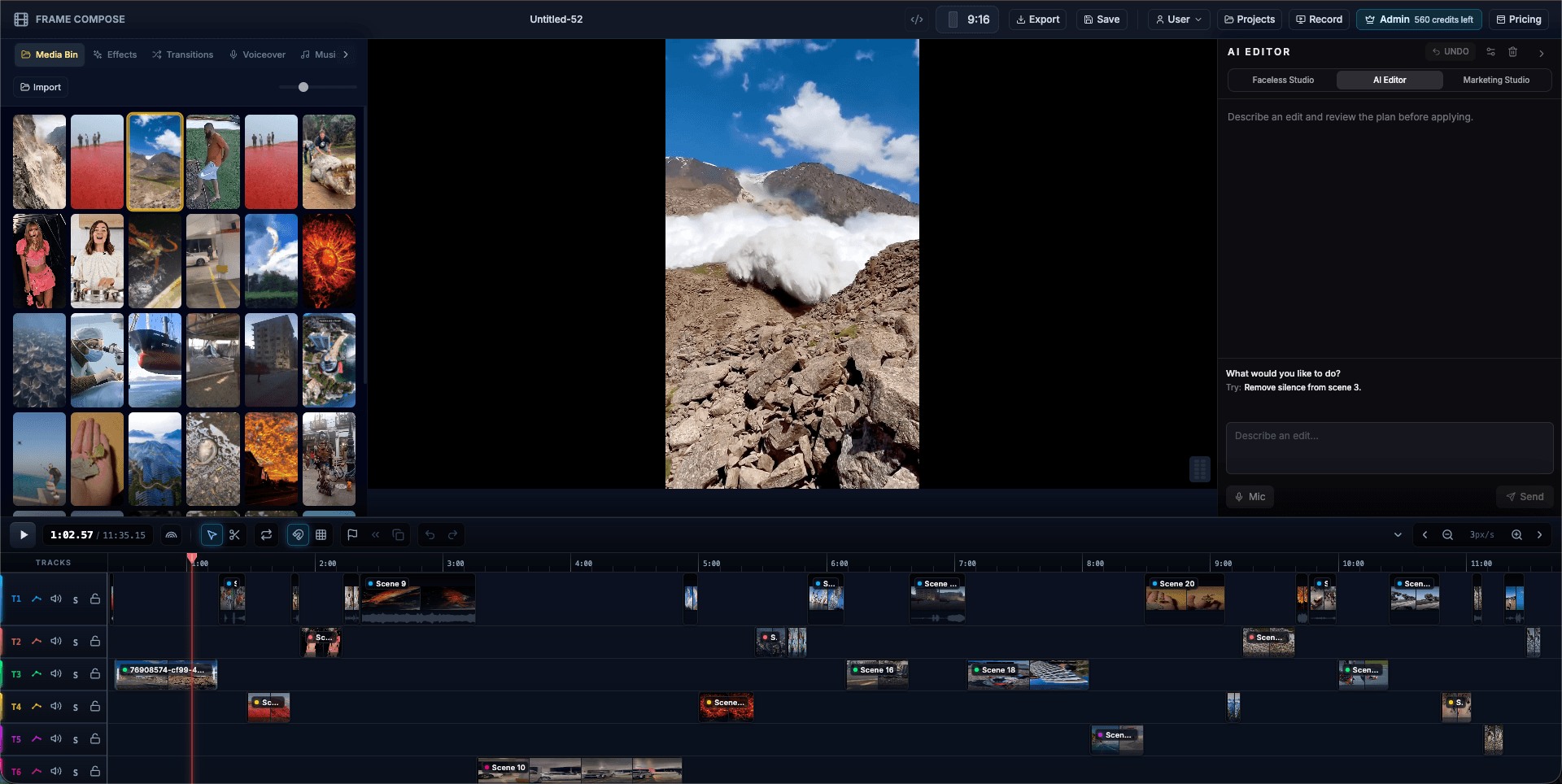
FrameCompose browser editor with clips, captions and audio on a multi-track timeline
Restyle one clip and keep the rest of your edit exactly as it is.

Anime, cartoon, claymation, pixel art or any style you name.

Every person, object and movement kept.

Works on your own footage and AI-generated clips.

See the exact price before you render. No subscription needed.

Restyle a video in three steps

Put the video clip on your timeline, your own footage or a scene generated in FrameCompose.

Tell the AI editor the look you want, in your own words.

Check the price, confirm, and the restyled clip arrives on your timeline while the rest of your video stays untouched.

Video to anime

Works on your own footage or a generated scene.

Restyle scene 2 as a hand-drawn anime

Any look you can describe

Name the medium, the palette and the mood.

Make this clip look like stop-motion claymation with warm light

Styles to try

Hand-drawn anime, Saturday-morning cartoon, 3D animated film, stop-motion claymation, watercolour, oil painting, comic book, pixel art, neon cyberpunk, vintage film. Name the medium first, then add a detail about colour or light, and you are done.

What you can make with it

Turn a vlog into an anime opening, give a product shot a playful cartoon look, make every scene of a story video share one art style, or remix a trend in a look nobody else has.

Keep a whole series in one style

Reuse the same style words for every clip and your scenes match from start to finish. Restyle the clips you want, keep the rest as they are, and preview the whole video before you export.

Finish the video around it

The restyled clip is a normal timeline clip. Add captions, voiceover, music, effects and transitions, and export from your browser. Editing and exporting are free.

Frequently asked questions

A few quick answers before you jump in.

Can I turn a real video into anime?

Yes. Ask the editor to restyle your clip as anime. The people, framing and movement stay, and the whole look changes.

Does restyle work on AI-generated clips too?

Yes. It works on your own footage and on video scenes generated in FrameCompose.

How much does it cost?

From about 15 credits per second of video, shown before you confirm. Credits start at 500 for $5.99 with no subscription, and editing and exporting are free.

Which AI model powers it?

Wan VACE video editing, run inside the FrameCompose editor so the result goes straight onto your timeline.