Generation

Turn a script into a finished video, voiceover and captions included

Paste the script you already wrote. FrameCompose builds the whole video from it - scene visuals, AI voiceover reading your words, and captions timed to the narration - as an AI-generated first draft that stays fully editable on a browser timeline.

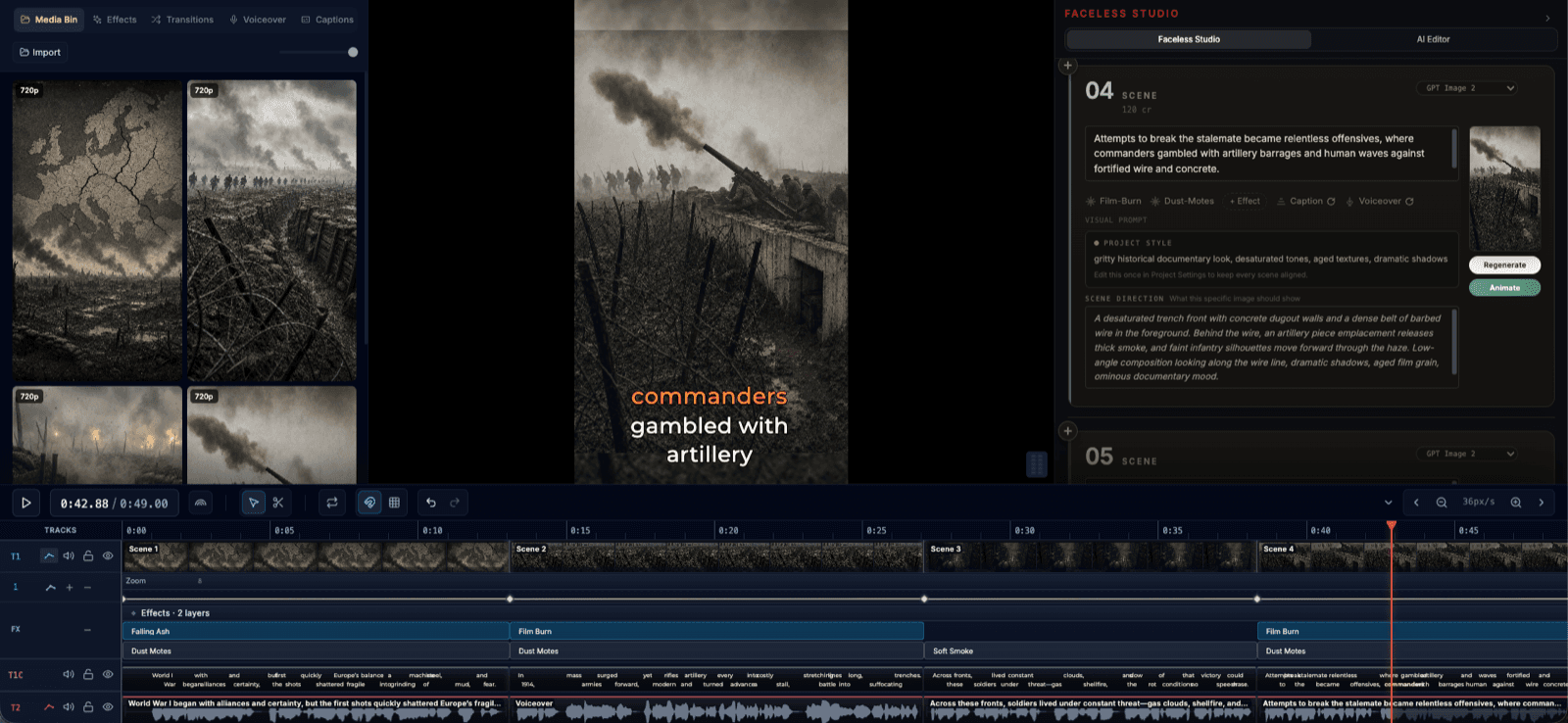
FrameCompose Video Studio with a script turned into scenes, a captioned vertical preview, and a multi-track timeline
A pasted script became these scenes, voiceover, and captions, all still editable.

Paste a finished script; scenes, voiceover, and captions are generated from it.

Your words stay your words: the narration follows the script you wrote.

Fix the one scene that missed without touching the rest of the video.

Nothing to install: generation, editing, and export all happen in the browser.

From written script to watchable first draft

If you already write - scripts, blog posts, newsletters, ad copy - the hard creative work is done. FrameCompose takes the script you paste, splits it into scene-sized pieces, and generates the visual layer around your words: imagery for each scene, an AI voiceover reading the script, and captions timed to the narration.

That turns the blank-timeline problem into a review problem. Instead of assembling a video from nothing, you watch a complete draft of your own script and decide what to improve.

Everything stays editable after generation

No script-to-video tool produces reliably perfect scenes, whatever the demos suggest. The difference between tools is what a wrong scene costs you. In FrameCompose, every scene lands on the timeline as its own editable piece: swap the visual that missed, drop in your own footage, drag a caption that sits wrong, or adjust one line of narration, while the scenes that worked stay exactly as they are.

That is the core design bet: the editing after generation is the product, not an afterthought. You should never have to reroll a 95% good video because of one scene.

A voiceover that reads your script, not a summary of it

Because the narration is built from your pasted script, the video says what you wrote - the same hooks, the same phrasing, the same jokes. Pick an AI voice you like, or record your own narration and use the same scene and caption workflow around it.

Captions follow the narration, and you can edit them word by word before export, which matters for the sound-off viewers who make up most of short-form.

Built for short-form publishing

Script to video is the natural workflow for faceless channels, explainers, listicles, and product stories headed for YouTube Shorts, TikTok, and Reels. Generate the draft from your script, tighten the pacing and captions in the same browser editor, and export when it is ready.

One workspace from paste to publish: no exporting between a generator, a voice tool, a caption tool, and an editor.

Frequently asked questions

A few quick answers before you jump in.

How does script to video work in FrameCompose?

Paste the script you already wrote into Video Studio. FrameCompose splits it into scenes, generates visuals for each one, reads your words as the voiceover, and adds captions timed to the narration. The finished draft lands on an editable timeline in your browser, so you can fix anything before export.

Will the AI rewrite my script?

No. When you paste a script, your wording is used for the narration. FrameCompose splits it into scene-sized pieces and times the visuals and captions around it. If you want help writing, Video Studio can also draft a script from a topic, but a pasted script stays yours.

What happens if one scene comes out wrong?

You fix that scene and keep the rest. Every scene stays its own editable piece on the timeline: swap its visual, replace it with your own footage, retime or restyle its captions, or adjust its narration, without regenerating the video. That last-mile control is the difference between a first draft and a finished video.

Can I use my own voice instead of an AI voice?

Yes. You can pick an AI voice to read your script, or record and use your own narration. Captions and scene timing work the same way with either.

Is script to video generation free?

Script to video generation is available on the Pro plan, which includes 1,000 credits per week. The free plan includes full editing capabilities - local projects, voiceover generation, transcription, captions, 100+ effects, and export - so you can edit and finish videos at no cost.

What kinds of videos does script to video work best for?

Anything where the words carry the video: faceless shorts, explainers, listicles, educational content, product walkthroughs, and ad scripts. If you already write scripts, blog posts, or newsletters, this is the fastest route from written words to a publishable video.

Related pages

Explore the rest of the workflow, from first idea to final export.