Editing polish

100+ free transitions & effects

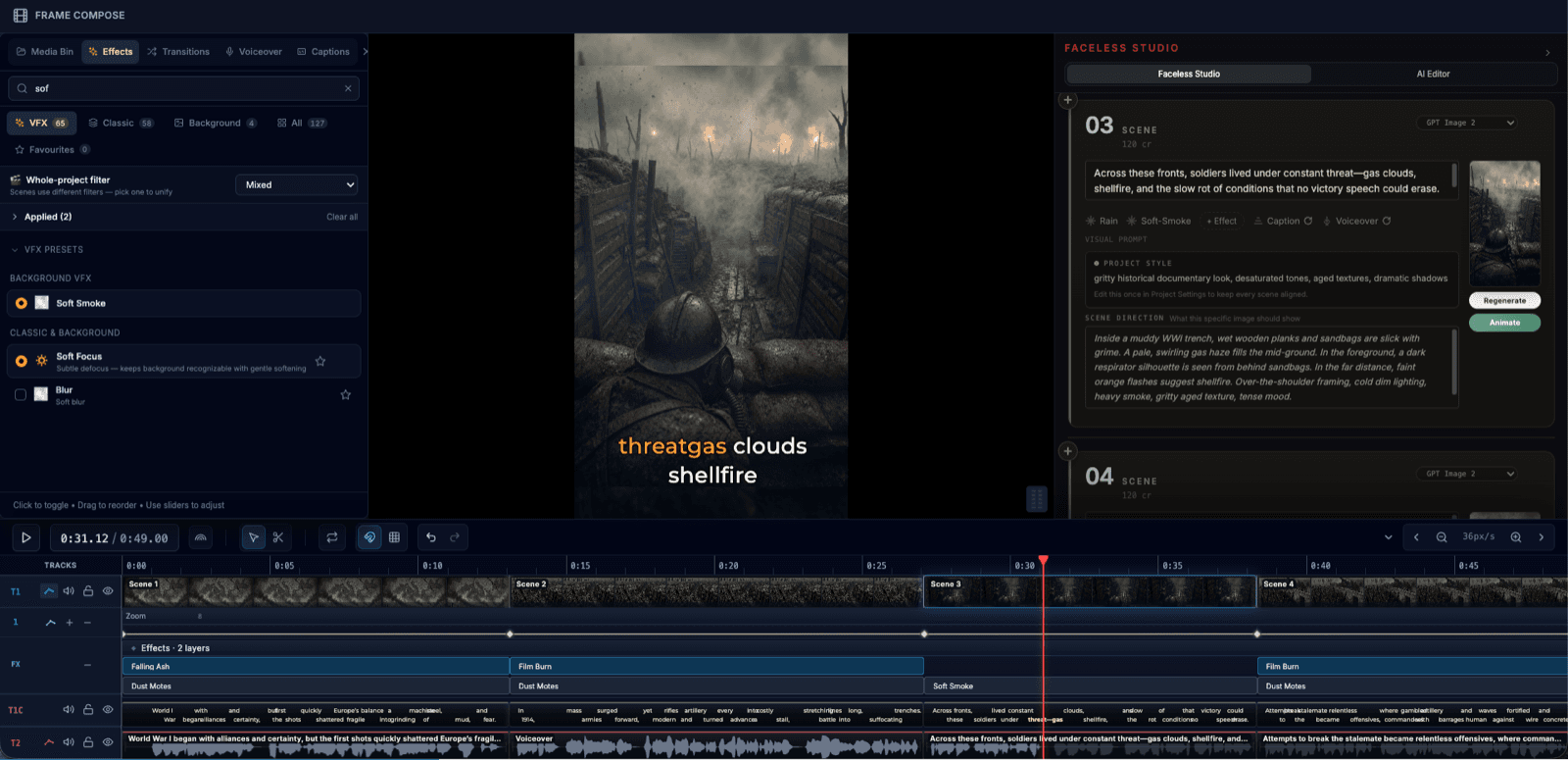
Add motion, style, and polish without slowing down the edit. FrameCompose gives you over 100 free transitions and effects — fades, wipes, glitch, zoom, blur, and more — to help scenes land cleanly and feel finished.

Over 100 free transitions and effects included on every plan.

GPU-accelerated previews so you can compare options in real time.

Adjust duration, easing, and intensity on every transition.

Combine effects with captions, voiceover, and timing edits in one workflow.

Make every cut feel intentional

Transitions and effects are what take a sequence from rough assembly to something that feels deliberate. A clean dissolve between talking points, a directional wipe that follows the eye, or a subtle zoom that adds weight to a key moment — these are the details that separate an edit that feels professional from one that feels rushed.

FrameCompose gives you the tools to add that polish without turning the process into a slow, overbuilt workflow. Pick a transition, adjust the timing, preview it in context, and move on.

Built for short-form pacing

Short-form video moves fast. Viewers decide in the first two seconds whether to keep watching, so every transition needs to support the rhythm of the edit instead of breaking it. Hard cuts keep energy up. Dissolves create breathing room. Directional wipes guide attention between scenes.

FrameCompose lets you dial in the duration and easing curve on every transition, so you can match the motion to the content — tight and punchy for hooks, slower and smoother for storytelling beats.

Fades, wipes, glitch, zoom, blur, and more

The effects library covers the full range: classic fades and dissolves for clean handoffs, directional wipes and slides for structured transitions, glitch and RGB split for energy, zoom and scale for emphasis, blur and focus pulls for depth, and color shifts for mood changes.

Every effect renders through the WebGPU pipeline, so previews are instant and export quality matches what you see in the editor. No surprises when you hit export.

Part of the full editing workflow

Effects and transitions live alongside captions, voiceover, timing tools, and export settings in the same browser-based editor. That means you can apply a transition, check how it feels against the narration, adjust the caption timing, and export — all without switching tools.

That connected workflow is especially valuable when you are producing repeatable social content and want each video to feel polished without spending extra time on the finishing pass.

Frequently asked questions

A few quick answers before you jump in.

How many transitions and effects does FrameCompose include?

FrameCompose includes over 100 free transitions and effects. The library covers fades, dissolves, wipes, slides, zooms, blurs, glitch effects, color shifts, and more. All are included at no extra cost on every plan.

Are the transitions and effects free to use?

Yes. Every transition and effect in the library is free to use, including on the free plan. There are no watermarks, no per-effect charges, and no usage limits.

Can I preview a transition before applying it?

Yes. You can preview any transition or effect on your timeline before committing to it. The browser-based editor renders previews in real time so you can compare options without re-exporting.

Do effects slow down the editing workflow?

No. FrameCompose uses WebGPU-accelerated rendering, so effects and transitions are processed by your GPU in real time. Playback stays smooth even with multiple effects stacked on the same scene.

What types of transitions work best for short-form video?

Fast cuts, subtle dissolves, and directional wipes tend to work best for short-form content because they keep energy high without distracting from the message. FrameCompose lets you adjust duration and easing on every transition so you can match the pacing to the format.

Related pages

Explore the rest of the workflow, from first idea to final export.