Make a kids cartoon series with the same cast in every episode

Build your cast once: a hero, a sidekick, a grown-up who helps. FrameCompose saves each one with a portrait, a four-view character sheet and its own voice, and draws every scene of every episode with those pictures as its reference. Type the next episode idea, pick a narrator or let the characters talk, animate the scenes you want moving, dub into 15 languages and export in 16:9 for YouTube or 9:16 for Shorts, with no watermark. Pay once from $5.99 with a pack that never expires, or go Pro for $20 a month.

7 free animated scenes a week. No credit card needed.

Or start from one of these

See what you can make

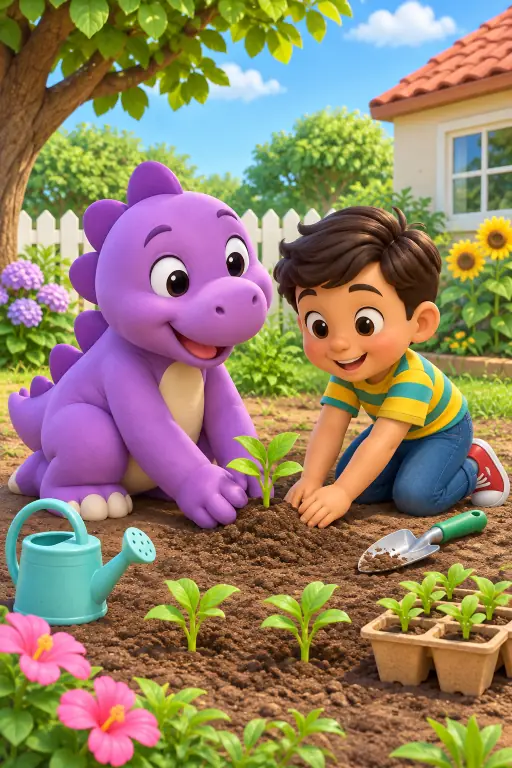
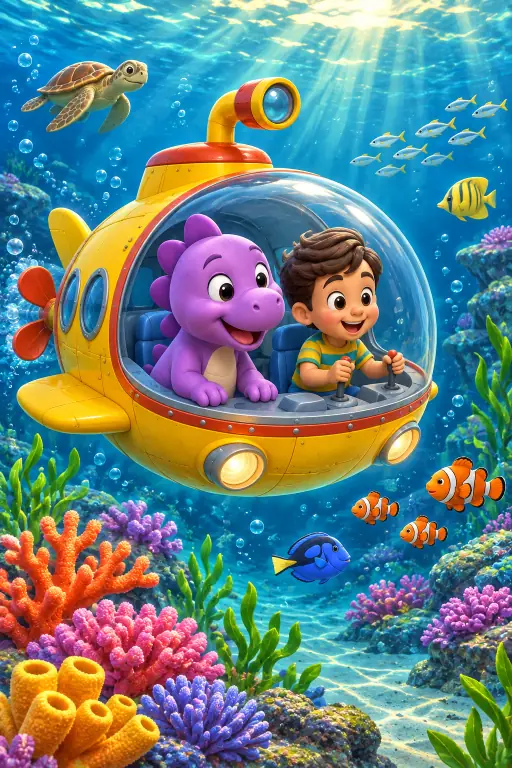
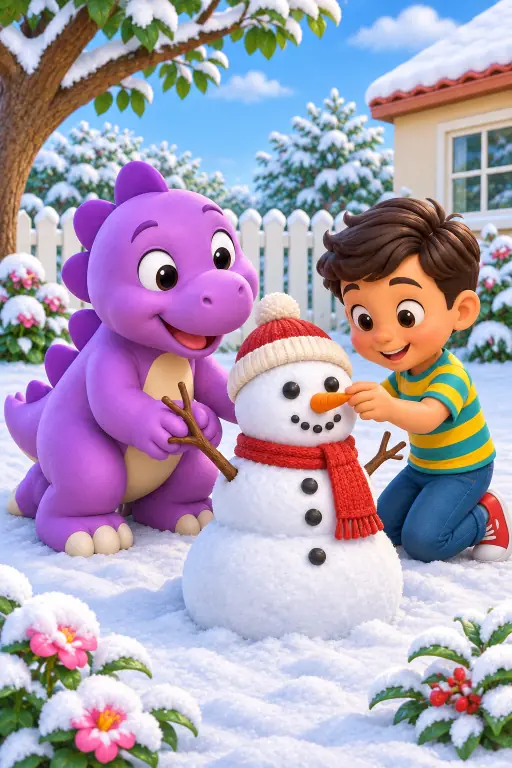
A purple dinosaur and a boy planting a gardenThe dinosaur and the boy under the sea in a little submarineThe dinosaur and the boy building a snowman
Example scenes. The AI draws new pictures for your own story.

How it works

  1. 1. Build your cast

    Save your hero and friends to the character library. Pick a look, a voice and a name, or upload your own drawing or photo as the portrait.

  2. 2. Type the episode

    Write the idea or paste a script. FrameCompose writes the scenes, draws them with your characters, voices them and adds captions.

  3. 3. Animate, dub, export

    Press Animate on the scenes you want moving, dub into other languages, and export for YouTube or Shorts with no watermark.

Can AI make a kids cartoon series with the same characters in every episode?

Yes. FrameCompose is an AI kids cartoon series maker that saves your characters to a library, draws every scene of every episode with each character’s portrait and four-view sheet as its reference, keeps one voice per character, and lets you animate any scene, dub into 15 languages and export for YouTube with no watermark, from $5.99 for a credit pack that never expires or $20 a month for Pro.

Here is why the cast stays the same. When you save a character, FrameCompose keeps a portrait and a four-view character sheet: front, three-quarter, profile and close-up. Every time that character is in a scene, those reference pictures go in with the scene text, so the scene is drawn from them rather than from a fresh description. Episode twelve uses the same pictures as episode one.

Supporting characters work the same way. Tag up to four of them by name in the scene text and each one is drawn from its own pictures and can speak in its own voice. The narrator, if you use one, stays the same voice from episode to episode too.

Consistency is strongest in the scene pictures. When you animate a scene, the moving clip opens on that on-model picture, so your character enters looking exactly as saved; inside the clip the video model handles the motion, so watch each clip and redo any you do not like. Most channels animate the two or three scenes that matter and keep the rest as animated picture scenes, with camera moves, moving effects, voice and captions.

AI kids cartoon series maker: the facts, checked 10 November 2026

Characters: up to 100 saved per account, used across every project. Each has a portrait and a four-view character sheet (the sheet uses credits) and stores up to 12 images, including outfit variants. Up to four supporting cast in any episode, tagged by name in the scene text. Upload your own photo or drawing as the portrait, or copy in a ready-made starter cast.

Character looks: eight. 3D animated, anime, claymation, storybook watercolor, comic and graphic novel, fantasy art, cinematic film and photorealistic.

Voices: 38. Each saved character keeps one voice across every project. Use a narrator, or let characters speak their own lines.

Languages: write the story in many languages directly, and Dub It turns a finished episode into Spanish, Brazilian Portuguese, French, German, Italian, Hindi, Indonesian, Japanese, Korean, Arabic, Turkish, Vietnamese, Polish, Dutch or Russian.

Length: 15 seconds to 3 minutes on the slider, or type a longer target.

Moving scenes: press Animate on any scene, or switch the story to video and every scene is made as a moving clip in one run. 18 video models, including Seedance 2.5 (clips up to 30 seconds, with sound made alongside the picture), Kling 4.0, Kling v3, Gemini Omni Flash, Wan 3.0 and MiniMax H3. A clip starts at 80 credits, and you see its price before it is made.

Export: 480p up to 1080p, 1440p and 4K. 16:9 for YouTube, 9:16 for Shorts, 1:1 or 4:5. 30 or 60 fps. No FrameCompose watermark on any plan.

Editing: a real timeline editor. Change one scene, one line, one caption or one voice without regenerating the rest.

Price: credit packs that never expire, 500 credits $5.99, 1,000 credits $9.99, 2,500 credits $19.99, 5,000 credits $35, 10,000 credits $60. Plans: Pro $20 a month (4,000 credits a month), Studio $50 (11,000 a month), Max $100 (22,000 a month), all with free server export. A scene picture is about 13 credits; an animated clip starts at 80. Try it first with 7 free animated scenes a week, no card needed.

Rights: you own what you make and keep all rights to the videos you create.

What is a series bible, and do I need one?

A series bible is the one-page list a studio keeps so every episode matches: who the characters are, what they look like, how they sound, where the stories happen and what each episode is for. You do not have to write one, but channels that keep one get episodes that feel like the same show.

In FrameCompose the character library is the bible. Each character carries its name, its look, its portrait, its four-view sheet, its outfit variants and its voice, so the facts travel with the character into every episode without you retyping them. Add a short line per character about who they are (the cautious one, the one who always has a snack) and reuse it in your episode ideas.

Keep two more lines somewhere handy: the place (Milo’s crater house, the swamp school) and the shape of an episode (a problem, three tries, a lesson, a joke at the end). The Studio writes the scenes from your idea, so starting every episode with the same place line and the same shape line gives you the same world every time.

Shorts episodes or long episodes?

Both, from the same cast. Set the length on the slider from 15 seconds to 3 minutes, or type a longer target. Pick 9:16 for a Shorts episode or 16:9 for the main channel; the characters, voices and captions are the same either way.

Most kids channels run both: a long episode on the main channel and a Shorts cut of the funniest moment. Make the long episode first, then trim the Shorts cut in the timeline editor, so you never make the same scene twice.

How many characters can a series have?

Up to 100 saved characters per account, so a whole season of guests fits. In any single episode, your hero and up to four supporting cast appear, each tagged by name in the scene text, each drawn from their own pictures and speaking in their own voice.

Each character stores up to 12 images, including outfit variants: pyjamas for the bedtime episode, a raincoat for the storm episode, a school uniform for the first day. The face stays the same; only the clothes change.

Want a familiar cast to start with? Copy in a ready-made starter character, rename it, and add your own.

What does a season cost?

Here is the maths at default settings. A default episode is seven scenes. Each scene picture costs about 13 credits, so a seven-scene picture episode is about 90 credits. Animating a scene into a moving clip starts at 80 credits, so a seven-scene episode with every scene moving is about 650 credits, pictures plus clips. Longer episodes have more scenes, so scale up. Each character sheet is a one-time cost on top.

Per pack: the $5.99 pack (500 credits) makes about five picture episodes. The $9.99 pack (1,000) makes about 11 picture episodes, or one fully animated episode with credits left over. The $19.99 pack (2,500) makes about 27 picture episodes, or about four fully animated ones. The $35 pack (5,000) makes about 55 picture episodes or about seven animated. The $60 pack (10,000) makes about 110 picture episodes or about 15 animated. Packs never expire, so a season can take as long as you like.

Per plan, for channels that post every week: Pro at $20 a month gives 4,000 credits a month, about 44 picture episodes or six fully animated. Studio at $50 a month gives 11,000 credits a month, about 122 picture episodes or about 16 animated. Max at $100 a month gives 22,000 credits a month, about 244 picture episodes or about 33 animated. All three plans include free server export.

A sensible first season: one picture episode a week on Pro, with the two best scenes animated, costs about 250 credits an episode and leaves room for retakes.

Can I make the same episode in two languages?

Yes, two ways. Dub It takes a finished episode and makes it in any of 15 languages (Spanish, Brazilian Portuguese, French, German, Italian, Hindi, Indonesian, Japanese, Korean, Arabic, Turkish, Vietnamese, Polish, Dutch or Russian), with the same pictures and the same characters. Or write the episode idea in the language you want from the start and the scenes, narration and captions come out in that language.

Many kids channels post the English episode on the main channel and the dubbed versions on a second channel, or as separate uploads with their own titles.

Is a cartoon series OK for YouTube Kids?

You own what you make: you keep all rights to the videos you create, with no FrameCompose watermark on any plan, so you can post them on your channel.

Whether a video counts as made for kids, and what YouTube Kids allows, is the creator’s responsibility. Read YouTube’s rules and set the audience setting yourself for each upload. FrameCompose gives you the tools to keep an episode gentle: write the lesson into the idea, pick a calm narrator, review every scene before you export, and change any line or picture in the editor.

Will the characters move, or are these pictures?

Both, and you choose per scene. Every episode is made as animated picture scenes first, with a slow camera move, moving effects picked from the story, voice and captions, because that is fast and cheap and it is where character consistency is strongest. Press Animate on any scene and it becomes a moving clip, or switch the whole story to video and every scene is made as a moving clip in one run.

A moving clip opens on the on-model scene picture, so your character enters looking exactly as saved. 18 video models, including Seedance 2.5 (clips up to 30 seconds, with sound made alongside the picture), Kling 4.0, Kling v3, Gemini Omni Flash, Wan 3.0 and MiniMax H3. A clip starts at 80 credits, and you see its price before it is made.

Who is a kids cartoon series maker for?

Parents who want a bedtime show with their own child’s name in it. Teachers who want the same two characters to explain a new topic every week. YouTube kids channel creators who need an episode every week without a studio. Children’s authors who want their book characters to star in a series. Grandparents who want to send a new story every Sunday. If you want the same faces and the same voices in every episode, this is for you.

How to run a kids cartoon series, week by week

Week one: build the cast. Save three to five characters with a look, a voice and one line each about who they are. Make the character sheets. Make a short test of episode one at 15 or 30 seconds, check the faces and voices, then set the full length.

Every week after: open a new project, type the episode idea starting with the same place line and the same episode shape, tag the characters by name, and generate. Animate the two or three scenes that carry the story. Fix any line in the editor. Export 16:9 for the channel, trim a 9:16 Shorts cut, and dub the languages you post in.

Once a month: add a new character or an outfit variant, so the show grows without the cast drifting.

Five AI kids cartoon makers side by side, checked 10 November 2026

FrameCompose: starts at $5.99 for a 500-credit pack that never expires, or Pro at $20 a month; 7 free animated scenes a week before you pay; save up to 100 characters with a four-view sheet and a voice each; upload your own drawing or photo; episodes up to 3 minutes on the slider; 4K export with no watermark; a timeline editor to fix one scene.

MagicLight: plans from $15 a month, or $7.50 a month paid yearly; its pages describe AI-powered characters and long-form videos.

Kartoonz AI (KreatorFlow): plans at $25, $49 or $99 a month, with a lower first month; its pages describe adding your own characters and keeping them the same.

KiVi AI: plans from $19.99 a month; its pages describe turning a story into a kids 3D cartoon episode with a character lock.

Korpi AI: plans from $16.99 a month; its pages describe a kids mode, character references and a series mode.

Prices come from each company’s own pricing page on the date above and can change. With FrameCompose you can pay once with a pack that never expires, and start with 7 free animated scenes a week.

Frequently asked questions

Quick answers before you start your kids series.

Do my characters look the same in every episode?

Yes. Every saved character has a portrait and a four-view character sheet, and every scene picture is drawn with those pictures as its reference. Save up to 100 characters and reuse them in any project. Each keeps the same voice across projects. In a moving clip the character enters on-model from the scene picture; check each clip and redo any you do not like.

Can my child be the hero?

Yes. Upload a photo or a drawing as the character’s portrait, give the character a name and a voice, and save it to your library so it stars in every episode.

How long can an episode be?

From 15 seconds to 3 minutes on the slider, or type a longer target.

Does it animate, or is it pictures?

Both, your choice per scene. Episodes are made as animated picture scenes first, with camera moves, moving effects, voice and captions. Press Animate on any scene to make it a moving clip, or switch the story to video and every scene is made as a moving clip in one run, with Seedance 2.5, Kling 4.0 and 16 more video models.

Can the characters talk to each other?

Yes. Pick a narrator, or let characters speak their own lines in their own voices, with up to four supporting cast in any episode. There are 38 voices.

Can I make the episode in Spanish, Hindi or Arabic?

Yes. Write the idea in that language, or finish the English episode and Dub It into any of 15 languages.

Which plan for a weekly kids channel?

Pro at $20 a month: 4,000 credits a month, about 44 picture episodes or six fully animated episodes a month, plus free server export. Prefer to pay once? The $19.99 pack holds 2,500 credits, about 27 picture episodes, and never expires.

Can I post the episodes on YouTube?

Yes. You own what you make and keep all rights to the videos you create. There is no FrameCompose watermark, and you can export 16:9 at 4K or 9:16 for Shorts. Setting the made-for-kids audience flag is your responsibility as the uploader.

Can I fix one scene without redoing the episode?

Yes. FrameCompose has a real timeline editor. Swap one picture, redo one clip, change one line or one caption, and leave the rest exactly as it was.

Can I try it before I pay?

Yes. Every account gets 7 free animated scenes a week with no card. Type episode one above, meet your cast, then pay when you want more scenes, moving clips or more characters.

Start your kids cartoon series

Type episode one above and try it with 7 free animated scenes a week. More scenes, moving clips and your character library use credits from $5.99, pay once, never expire.

Related pages

More ways to make cartoon and story videos.