Workflow comparison

Choose based on what happens after the first result.

An AI video generator creates new media from instructions. An AI video editor helps assemble, revise, time, caption, mix, and export a complete project. Many real workflows need both, but the important question is whether the generated result remains editable.

Maintained by the FrameCompose product team · Last reviewed 12 August 2026

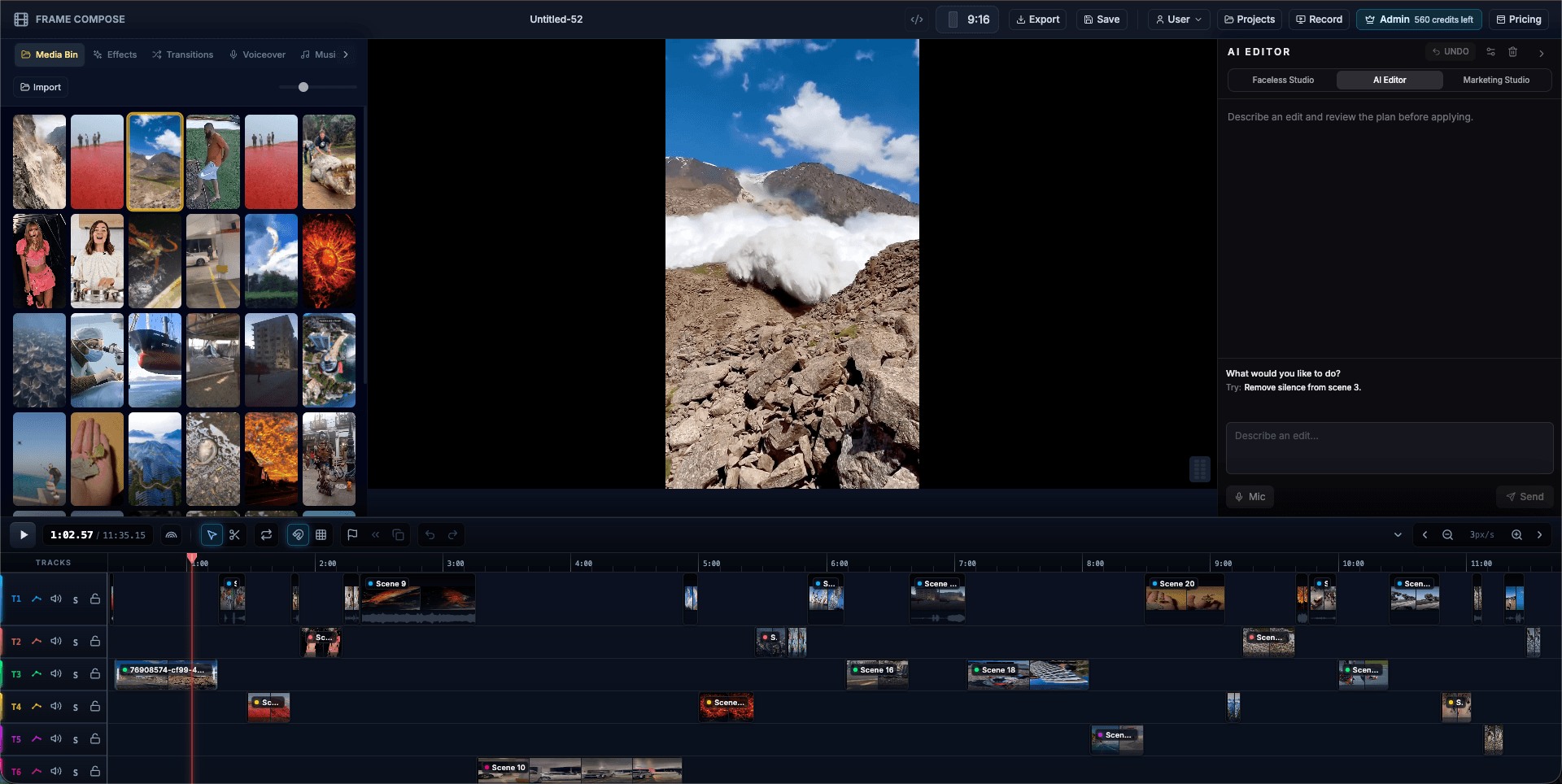
FrameCompose browser editor with generated and uploaded media on a multi-track timeline
Generation creates assets; editing turns accepted assets into a controlled final video.

Generators create new clips, images, narration, or complete drafts.

Editors control selection, order, timing, captions, audio, effects, and export.

One-shot output is fast when the first result is already acceptable.

An integrated workflow is stronger when revisions and exact delivery matter.

1. Identify the output you actually need

Choose a generator when the main problem is creating a new visual, clip, voice, or rough draft from a prompt. Choose an editor when you already have media and need to cut, arrange, caption, mix, resize, correct, and export it.

A complete marketing video, tutorial, or story often combines generated and uploaded material, so the practical requirement is a workflow that can move cleanly from creation into editing.

2. Check what remains editable after generation

Some generators return a flattened video and offer prompt-level revisions. Others expose scenes, captions, narration, timing, and media as separate project elements. That distinction determines how precisely a mistake can be repaired.

Ask whether one scene can be replaced, an uploaded clip can be inserted, a caption can be corrected, and timing can change without creating an unrelated new version.

3. Compare revision speed, not only first-output speed

A one-shot generator can be fastest when the first result works. If feedback arrives, repeated full generations may become slower than opening a timeline and changing the exact line, clip, or duration.

For recurring production, measure how long version two and version ten take, how much accepted work is preserved, and whether collaborators can make predictable corrections.

4. Understand cost and control

Generation may be priced by credits, seconds, model, or resolution. Normal editing may be local, subscription-based, or tied to cloud processing. Compare the cost of several realistic revisions rather than only the advertised first generation.

Also check export limits, watermarks, project ownership, source-file access, storage, privacy, commercial rights, and the ability to use your own media.

5. Choose a hybrid workflow when both jobs matter

Use generation to create the first draft or the assets that are difficult to film, then use editing to select, repair, combine, caption, mix, and finish them. A hybrid workflow keeps automation useful without surrendering the final decisions.

Human review remains necessary for continuity, spelling, claims, rights, disclosure, brand accuracy, and whether the finished video communicates what was intended.

Frequently asked questions

A few quick answers before you jump in.

What is the difference between an AI video editor and an AI video generator?

A generator creates new video or related media from instructions. An editor organises and revises media through controls for cuts, timing, captions, audio, effects, layout, and export.

Can an AI video generator also be an editor?

Yes. Some products combine generation with scene-level and timeline editing. Check which elements remain separately controllable after the draft is created.

Which is better for making complete videos?

A combined workflow is usually more practical when the video needs generated material plus exact revisions, uploads, captions, audio mixing, branding, and multiple exports.

Should I compare tools by generation quality alone?

No. Also compare revision speed, editability, model and export costs, rights, privacy, source access, upload support, and how the tool handles feedback after the first result.

Related pages

Explore the rest of the workflow, from first idea to final export.