Kling 4.0 by Kling AI

Kling 4.0 online: the newest Kling, from words or your photo.

Kling 4.0 is the newest video model from Kling AI, listed as Kling 4.0 (newest Kling) in FrameCompose. Start from a photo and it opens on exactly that frame, or describe a shot and let it direct the camera. Make a 3 to 15 second clip from 236 credits for 5 seconds, then add voiceover, music and captions on a full timeline.

Maintained by the FrameCompose product team · Last reviewed 6 November 2026

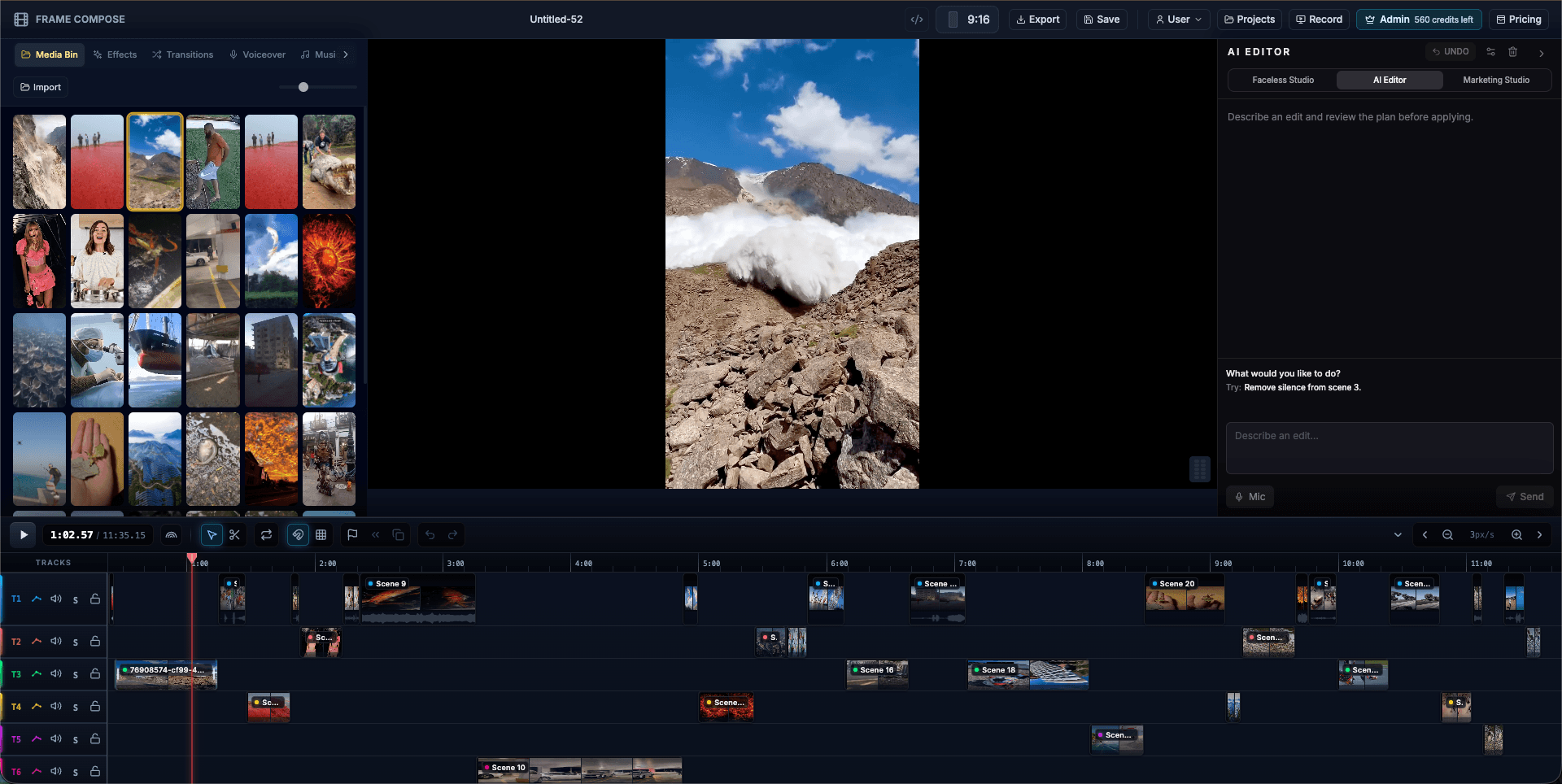
FrameCompose browser editor with an AI video clip, captions and audio on a multi-track timeline
Your Kling 4.0 clip lands on the timeline, ready for a voiceover, music and captions.

Clips from 3 to 15 seconds, at 720p or 1080p.

Your photo stays the exact opening frame.

Give it an end frame and it lands exactly there.

See each clip’s price before it is made. Failed clips are refunded.

Kling 4.0 price in credits

What one Kling 4.0 clip costs in FrameCompose, by length and quality. The same price shows on screen before the clip is made.

Clip length480p720p1080p
5 seconds236 credits236 credits353 credits
10 seconds471 credits471 credits705 credits
15 seconds707 credits707 credits1,058 credits

Kling 4.0 renders 480p asks at 720p, so they cost the same. Add a voiceover or music on the timeline.

What Kling 4.0 is best at

Kling AI built Kling 4.0 to animate a starting image into a polished, cinematic shot, with optional end frames. Products, outfits, places and characters begin exactly as they are in your picture, then move the way you describe.

In FrameCompose it renders at 720p or 1080p and ranks above Kling v3 for quality, so it is the Kling to pick when a shot has to look its best and Kling v3 when you want the lower price.

Animate a photo with Kling 4.0

Choose Image to Video, import your photo and press Animate on it in the Media Bin.

In the Animate Image dialog, pick Kling 4.0 under Animation Provider; its price shows beside it. Describe the motion in Animation Prompt, or tap a motion preset, and press Start Animation.

The clip runs as long as the photo sits on your timeline, from 5 up to 15 seconds, and lands right on the timeline.

A product hero shot

Your photo is the first frame.

The watch turns slowly on black velvet while the camera arcs around it and light slides across the glass.

A travel moment

One move for the subject, one for the camera.

Waves roll onto the beach as the camera rises over the palm trees into the sunset.

Make a Kling 4.0 clip from words

In Video Studio, type the moment, set Make to Video clip and press Make clip. On the AI Editor card, choose Kling 4.0 (newest Kling) in the Model list and press Make clip to spend the clip's credits. Planning it uses one AI Editor message (2 credits on a credit account).

From words it makes upright 9:16 or wide 16:9 clips to match your project.

Prompt tips for Kling 4.0

Start from a sharp, well-lit photo with your subject clearly in frame. Then say what moves: the subject, the camera, or both, in that order.

Name the camera move in plain words, such as "slow orbit" or "rise and tilt down". For a scene that must end on a set picture, add it as the end frame and describe the journey between the two.

Kling 4.0 or another model

For a photo with a lifelike face, real or AI-made, Kling v3 is the pick FrameCompose has tested most. For sound made with the picture, pick Seedance 2.5 for up to 30 seconds or Gemini Omni Flash for up to 15, both at no extra credits for the sound.

Frequently asked questions

A few quick answers before you jump in.

Can I use Kling 4.0 online?

Yes. Use Kling 4.0 from your browser, with nothing to install. Animate a photo with Image to Video or make a clip from words in Video Studio, then edit it on a full timeline.

How much does Kling 4.0 cost?

236 credits for 5 seconds at 480p or 720p, 353 at 1080p, and 707 for 15 seconds at 720p. You see the price before the clip is made.

Is Kling 4.0 free?

A Kling 4.0 clip uses credits, from 236 for 5 seconds, shown before you start. After the clip lands, timeline editing, captions and browser export are free.

What is the difference between Kling 4.0 and Kling v3?

Kling 4.0 is the newer model and ranks higher for quality in FrameCompose, with 1080p and end frames. Kling v3 costs less, 126 credits for 5 seconds at any quality, and is the pick FrameCompose has tested most for photos of real people.

How long can a Kling 4.0 clip be?

From 3 to 15 seconds in FrameCompose. Join several clips on the timeline for a longer scene.