MiniMax H3 by MiniMax

MiniMax H3 online: lifelike motion from the makers of Hailuo.

MiniMax H3 is the newest video model from MiniMax, the team behind Hailuo, listed as MiniMax H3 (lifelike motion) in FrameCompose. It is made for believable people, physics and movement. Make a 5 to 15 second clip from words or a picture, from 80 credits for 5 seconds, then finish it on a full timeline.

Maintained by the FrameCompose product team · Last reviewed 6 November 2026

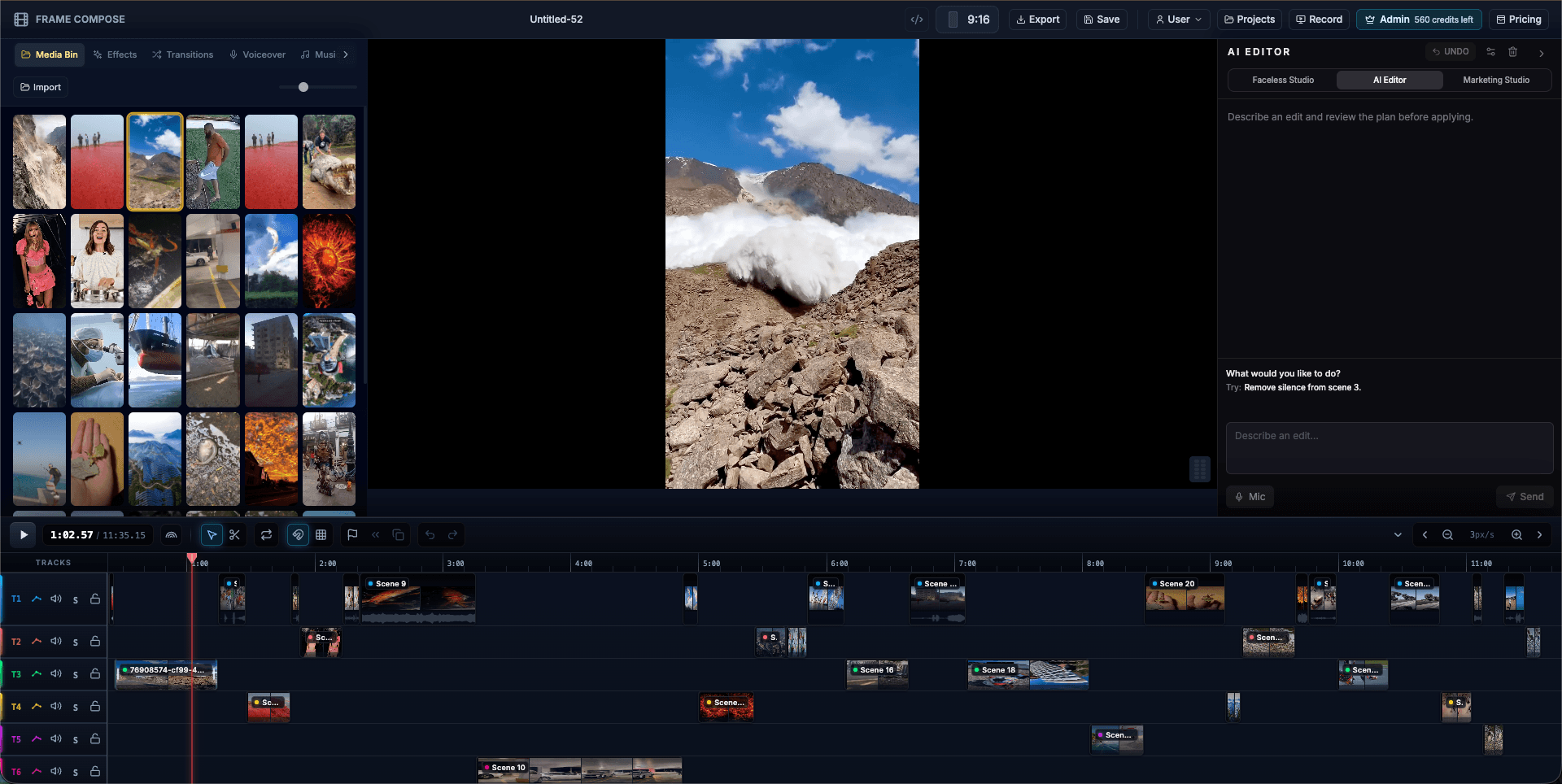
FrameCompose browser editor with an AI video clip, captions and audio on a multi-track timeline
A MiniMax H3 clip on the timeline, ready to trim, caption and export.

Clips from 5 to 15 seconds, upright or wide.

Lifelike people, physics and motion.

80 credits for a 5-second clip at 480p.

Start from words, a picture, or a first and last frame.

MiniMax H3 price in credits

What one MiniMax H3 clip costs in FrameCompose, by length and quality. The same price shows on screen before the clip is made.

Clip length480p720p1080p
5 seconds80 credits90 credits195 credits
10 seconds150 credits180 credits390 credits
15 seconds225 credits270 credits585 credits

At 1080p, MiniMax H3 makes its clip and sharpens it to 2K. Add a voiceover or music on the timeline.

What MiniMax H3 is best at

MiniMax built H3, the next step after Hailuo, for believable motion: people walking, turning and talking, cloth and hair that move naturally, water and objects that behave as they should.

Unlike Hailuo 02, which makes wide clips when it starts from words, MiniMax H3 follows your project’s shape, so upright 9:16 Shorts come out upright.

Make a MiniMax H3 clip from a few words

Open Video Studio and type your idea. Under the box, set Make to Video clip, pick 5s, 10s or 15s, and press Make clip.

On the AI Editor card, choose MiniMax H3 (lifelike motion) in the Model list, check Length and Quality, and press Make clip to spend the clip's credits. Planning it uses one AI Editor message (2 credits on a credit account), and one request spends at most 600 credits.

A lifelike everyday moment

Typed into Video Studio with Video clip picked.

A runner ties her laces on a wet park bench at dawn, stands, and jogs away as her breath shows in the cold air.

Animate a picture with MiniMax H3

Import a picture into the editor and press Animate on it in the Media Bin. In the Animate Image dialog, pick MiniMax H3 under Animation Provider, describe the motion in Animation Prompt and press Start Animation.

Your picture becomes the opening frame, and the clip runs from 5 up to 15 seconds. Add a second picture as the end frame and it moves between the two.

Prompt tips for MiniMax H3

Describe the action as it would really happen, step by step: what the person does first, then next. H3 rewards physical detail, such as the surface underfoot, the weather or the weight of an object.

Keep one main subject per clip and name the camera: "steady wide shot" or "handheld follow".

MiniMax H3 or another model

For a photo with a lifelike face, real or AI-made, Kling v3 is the pick FrameCompose has tested most. For sound made with the picture, pick Wan 3.0 or Seedance 2.0, both at no extra credits for the sound.

Frequently asked questions

A few quick answers before you jump in.

Can I use MiniMax H3 online?

Yes. Use MiniMax H3 from your browser, with nothing to install. Type an idea in Video Studio or animate your own picture, then edit the clip on a full timeline.

How much does MiniMax H3 cost?

A 5-second clip is 80 credits at 480p, 90 at 720p and 195 at 1080p. A 15-second clip at 720p is 270 credits. You see the price before the clip is made.

Is MiniMax H3 free?

A MiniMax H3 clip uses credits, from 80 for 5 seconds at 480p, shown before you start. Timeline editing, captions and browser export are free.

Is MiniMax H3 the same as Hailuo?

MiniMax makes both. Hailuo 02 is the earlier model and stays in FrameCompose; MiniMax H3 is the newer one, with upright clips from words and clips of up to fifteen seconds.

How long can a MiniMax H3 clip be?

From 5 to 15 seconds in one clip, in whole seconds.