For app makers

Make app promos built for TikTok, Reels, and Shorts

Record your app once, then cut vertical promos with auto zooms, word-by-word captions, music, and AI voiceover. Hook-first structure, editable everything, rendered in your browser.

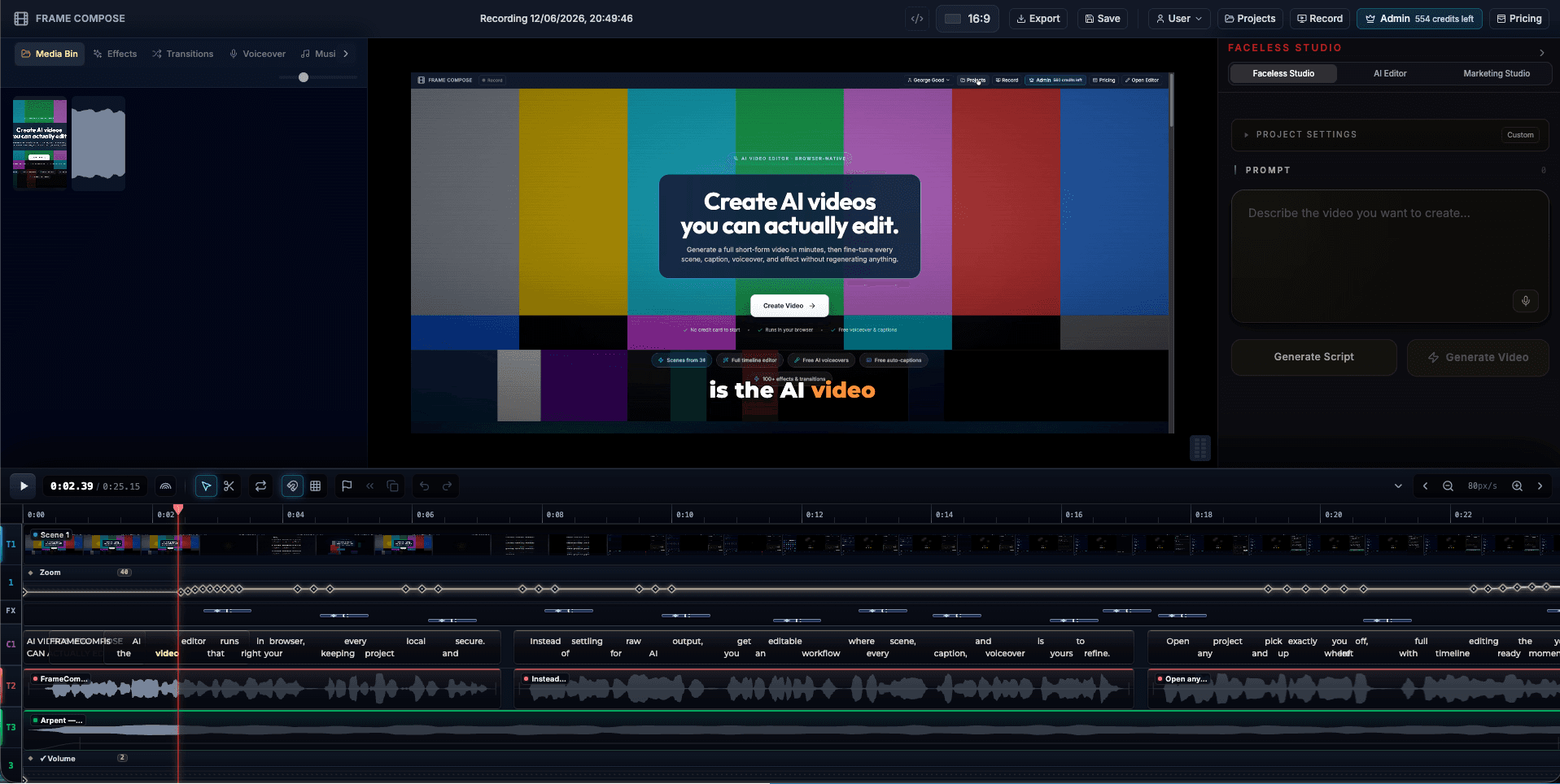
FrameCompose editing an app screen recording into a vertical promo with captions and zoom keyframes
An app recording being cut into a captioned vertical promo.

Vertical 9:16 exports sized for TikTok, Instagram Reels, and YouTube Shorts.

Auto zooms keep app UI readable inside the vertical crop.

Word-by-word captions carry the promo for muted viewers.

Cut a 15s teaser and a 30s promo from one recording.

Short-form is where apps get discovered

App discovery moved to vertical video: TikTok, Reels, and Shorts drive installs in a way static screenshots never did. But most app teams still market with screenshots, because producing social video has meant an editor, a subscription, and hours per clip.

FrameCompose collapses that: one screen recording of your app becomes a hook-first vertical promo you can iterate on weekly.

The vertical problem, solved with zooms

A raw recording of an app or website is the wrong shape for vertical feeds: crop it and you lose context, letterbox it and the UI becomes unreadably small. Auto zooms fix both, following the action so each moment fills the vertical frame with the part of the screen that matters.

Structure that survives the scroll

The first draft is assembled with short-form pacing in mind: an immediate hook, captions timed word by word, and cuts that follow your interactions. From there you tune it like any edit: swap the hook line, tighten a beat, change the music, adjust the voiceover.

Everything exports from your browser, so testing three hook variations is minutes of work, not three render queues.

For indie devs and growth teams alike

Indie developers can produce launch promos without buying an editor or hiring one. Growth teams can run creative testing with a promo variant per week. Agencies can standardize app promo production across clients.

Frequently asked questions

A few quick answers before you jump in.

Can I make a vertical promo from a normal screen recording?

Yes. Record your app or website normally, then export 9:16. Auto zooms reframe the action into the vertical crop so the UI you are showing stays front and center instead of shrinking into a letterboxed strip.

What makes a good app promo for TikTok or Reels?

A hook in the first two seconds, captions for muted viewing, quick cuts that follow the action, and a clear final beat that says what to do next. FrameCompose drafts that structure from your recording, and every element stays editable.

Can I add music and voiceover?

Yes. Add a music track, record narration, or generate an AI voiceover from a script. Audio sits on its own timeline tracks, so you can balance music under narration.

How long should an app promo be?

Fifteen to thirty seconds performs best for paid and organic social. Because trims are free and instant, you can cut a 15-second teaser and a 30-second version from the same project.

Do I need editing experience?

No. The first draft is assembled for you. Editing means clicking a caption to reword it or dragging a clip edge to tighten a cut, not learning a professional editor.

Related pages

Explore the rest of the workflow, from first idea to final export.